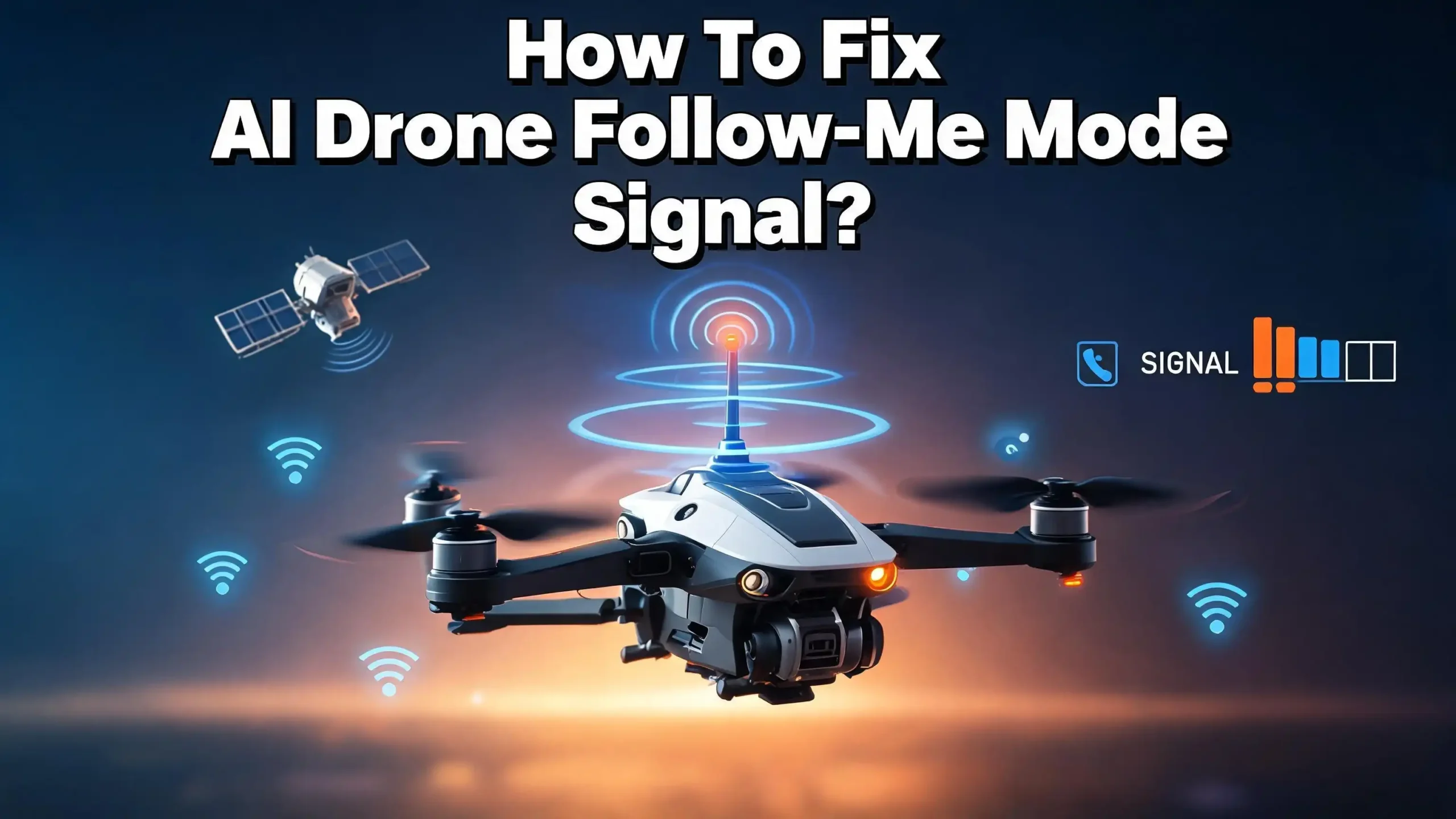
How To Fix AI Drone Follow Me Mode Signal?
Your AI drone promises one magical thing. It flies behind you, films your every move, and keeps you in frame without a pilot. Then the signal drops. The drone freezes, drifts, or loses you completely. Frustrating, right? You are not alone. Thousands of drone pilots face the same Follow Me mode signal problem every day.
The good news is simple. Most signal issues have clear causes and easy fixes. You do not need to be a technician to solve them. This guide breaks down every reason your Follow Me mode fails. It then gives you exact steps to restore a strong, stable signal.
We pulled real solutions from pilot forums, manufacturer support pages, and field tests. Every fix below is practical and tested by real drone users. Read on, and you will get your drone tracking you smoothly again.
In a Nutshell
- GPS lock is everything. Follow Me mode needs a strong GPS signal with at least 12 satellites. Wait two to three minutes after powering on before you launch.
- Open sky wins every time. Buildings, trees, metal, and power lines block signals. Fly in wide open spaces for the best tracking lock.
- Calibrate before you fly. Run a compass and IMU calibration regularly. A bad calibration causes false weak signal warnings and erratic flight.
- Update your firmware. Many signal bugs are software faults. Install the latest firmware for both your drone and controller.
- Mind your altitude and distance. Most drones need you above 10 meters height. Keep the right follow distance so the drone holds a clean lock.
- Interference is real. Phones, WiFi, Bluetooth, and radio towers scramble signals. Move away from these sources and disable nearby devices.
Understand What Follow Me Mode Actually Needs
Before you fix anything, you must know how Follow Me mode works. This knowledge makes every fix make sense.
Follow Me mode uses two main systems. The first is GPS tracking. Your drone reads its own GPS position and your device’s GPS position. It then keeps a set distance and angle between you both. The second is visual tracking. The drone’s camera and sensors recognize your shape and movement. Many AI drones blend both systems for accuracy.
The signal problem usually starts with one of these systems failing. If your phone or controller loses GPS, the drone loses your position. If the camera cannot see you clearly, visual tracking breaks. Both systems need clean, uninterrupted signals to work.
There is also a third link. This is the radio connection between your drone and controller. If this link drops, the drone may hover, return home, or freeze. Each system depends on a different signal type.
Knowing this helps you diagnose faster. Ask yourself a simple question. Is the problem with GPS, with the camera, or with the radio link? Each cause has a different fix. Once you spot which system fails, you fix the right thing. Guessing wastes time and risks your drone. Understanding the system is your first real step.
Wait For A Full GPS Lock Before You Launch
This single mistake causes more failures than any other. Pilots launch too soon. The drone has not found enough satellites yet.
When you power on your drone, it starts searching the sky for GPS satellites. This search takes time. Most drones need one to three minutes to lock on fully. Follow Me mode will not work properly until this lock is complete.
Check your app before takeoff. Look at the GPS signal bar. On DJI Fly, the bar should be green, not yellow or red. You want at least 12 satellites connected. Fewer than 12 means weak tracking and drift risk.
Here is the simple fix. Power on your drone outdoors in an open area. Then wait patiently. Watch the satellite count climb. Do not rush to take off the moment the props spin. Many pilots launch at 6 or 8 satellites and wonder why tracking fails.
A cold start takes longer than a warm one. If you just turned the drone off and on, give it extra time. The first flight of the day always needs the longest wait.
Also keep the drone still during this search. Moving it around confuses the lock process. Set it flat on the ground and let it work. Once you see a strong green bar and 12 plus satellites, you are ready. This one habit prevents most signal headaches.
Fly In Open Areas Away From Obstructions
Where you fly matters more than you think. The environment around you shapes your signal strength every second.
GPS signals come from satellites high in space. Anything above your drone can block them. Tall buildings, dense tree canopies, mountains, and bridges all weaken the signal. A clear view of open sky gives the strongest GPS lock.
Metal surfaces are a hidden enemy. Parked cars, metal roofs, fences, and shipping containers reflect and scatter signals. Move away from large metal objects before you start Follow Me mode. Even standing near a car can confuse tracking.
Trees cause a special problem. They block GPS and they also confuse visual tracking. The camera may lock onto a tree instead of you. Pilots report the drone following a bush while they walk away. Open fields, beaches, and parks solve this instantly.
Think about your own position too. If you stand under a tree or beside a wall, your device loses GPS. Both you and the drone need open sky. The drone cannot follow a target it cannot locate.
Here is a quick test. Look straight up. Can you see a wide patch of clear sky? If yes, your spot is good. If branches, eaves, or wires cross your view, move. The best Follow Me footage always comes from open ground. Choose your location wisely and many problems vanish before they start.
Calibrate Your Compass And IMU Correctly
A bad calibration tricks your drone into thinking the signal is weak. This is one of the most overlooked fixes.
Your drone has a compass and an IMU, the inertial measurement unit. The compass tells the drone which way it faces. The IMU senses motion and balance. When these drift out of true, the drone behaves badly. You may see false weak GPS warnings even with strong signals.
Calibrate your compass whenever you fly in a new location. Different places have different magnetic fields. The drone needs to learn the local field. Most apps walk you through this with simple rotation steps. Hold the drone and turn it as the screen shows.
Do the calibration away from metal and magnetic sources. Keys, phones, watches, and belt buckles all interfere. Stand in open ground with nothing magnetic nearby. A bad calibration is worse than none at all.
The IMU calibration matters too. Place the drone on a flat, level surface. Do not touch or move it during the process. Let the app finish fully. A wobbly or tilted surface ruins the result.
Watch for warning signs that you need recalibration. The drone drifts in hover. It spins or yaws on its own. It throws magnetic interference errors. These signs all point to calibration faults. Run both calibrations and the warnings often disappear. Make calibration a regular habit, not a one time task. Your tracking accuracy depends on it.
Update Your Drone And Controller Firmware
Software bugs cause real signal problems. Manufacturers fix these bugs with firmware updates. Many pilots forget to install them.
Firmware is the code that runs your drone. It controls GPS handling, tracking logic, and signal management. When a known bug breaks Follow Me mode, the company releases a patch. Skipping these updates means living with old bugs.
Real pilots confirm this. On forums, users report that signal loss issues vanished after a firmware update plus calibration. Some Follow Me failures are pure software faults that only the maker can fix. Your job is to install the fix when it arrives.
Update both devices. Your drone needs its firmware updated. Your controller needs its own update too. They must work together on matching versions. A mismatch between drone and controller firmware can cause connection drops.
Use the official app to update. Connect to strong WiFi and a charged battery. Never update with a low battery. A failed update can damage your drone. Let the process finish completely without interruption.
Check for updates before every big flight day. New patches appear often. Set a reminder to check monthly. Read the release notes when you can. They often list which bugs got fixed. If your exact problem is mentioned, the update will likely solve it. Keeping firmware current is free insurance against signal trouble. It takes minutes and saves you flights.
Reduce Signal Interference From Nearby Devices
Invisible signals fill the air around you. Many of them fight with your drone’s signal. Reducing this interference brings instant improvement.
Your drone communicates on radio frequencies, usually 2.4 GHz and 5.8 GHz. Many household and city devices use the same bands. WiFi routers, Bluetooth speakers, and phones all crowd these frequencies. More devices nearby means more interference.
Big sources cause big problems. High voltage power lines, radio towers, mobile base stations, and TV broadcast towers all flood the air. Keep your drone far from these sources. Even passing near them mid flight can drop your link.
Here is a practical step. Turn off Bluetooth and unused WiFi on your phone or controller. Close apps that hunt for networks. Put your phone in airplane mode if you fly with a dedicated controller. Fewer signals competing means a cleaner link.
Watch your antenna position too. The controller antennas should point toward the drone, not flat at it. Aim the broad face of the antennas at your drone, not the tips. Small angle changes make a real difference in range.
Crowds and events are tough spots. Hundreds of phones create heavy interference. Try to fly in quieter places. If you must fly in a busy area, expect a weaker link and shorter range.
Some drones let you switch frequency bands manually. Try moving from 5.8 GHz to 2.4 GHz or back. Switching bands often clears a noisy channel and restores a stable signal fast.
Set The Correct Altitude For Follow Me Mode
Altitude is not just about safety. It directly affects whether Follow Me mode locks on at all.
Most AI drones need a minimum height before tracking starts. Many require you to be above 10 meters, roughly 33 feet. Below this, the drone cannot track properly and refuses to follow. Always climb to the required height first.
There is a smart reason behind this rule. At higher altitude, the drone has a clearer view of you. The camera frames you against the ground, not against clutter. This makes visual tracking far more reliable. GPS lock also stays stronger with open sky above.
Take off manually first. Climb to a safe height. Then engage Follow Me mode once you are above the minimum. This is the method experienced pilots use. Starting on the ground often fails.
Set the right follow height in your settings too. A good default sits well above any obstacles around you. Trees, poles, and rooftops should all sit below the drone. The drone cannot see you well if it flies too low among obstacles.
But do not fly too high either. Extreme height can weaken visual tracking because you become a tiny dot. Find the sweet spot between clear view and reliable recognition. Often 15 to 30 meters works well for most activities.
Remember terrain changes. If you walk uphill, a fixed altitude drone gets closer to you. Adjust your height settings for hilly ground. Matching altitude to your environment keeps tracking smooth and safe throughout your flight.
Keep The Right Distance Between You And The Drone
Distance shapes tracking quality more than most pilots realize. Both too close and too far break the lock.
There is a built in GPS bias in every drone. The drone’s GPS reading and your device’s GPS reading differ by 3 to 5 meters. This gap makes the drone chase a ghost target slightly off from you. A larger follow distance hides this bias.
If you set the distance too small, the bias becomes huge in relative terms. The drone wobbles, overshoots, or loses you. Experts recommend setting the follow distance above 12 meters for stable GPS based tracking. Eight meters is a bare minimum, not a target.
Too far causes the opposite problem. At long range, the camera struggles to see you clearly. Visual tracking weakens as you shrink in the frame. The radio link can also drop at extreme distances. Both effects break Follow Me mode.
Find your balance. A medium distance gives the drone a clear view and a strong link. Test different distances in a safe open area to learn what your drone handles best. Each model behaves a little differently.
Watch your speed too. If you move fast, give the drone room to keep up. A drone needs space to stop and turn safely when you change direction. Crowding it leads to jerky, failed tracking.
Match distance to your activity. Running needs more space than walking. Cycling needs even more. Set the distance before you start moving, then keep your pace steady. Smooth movement helps the drone hold its lock.
Fix Visual Tracking Lock Problems
Sometimes the GPS signal is fine but the drone still loses you. The fault lies with visual tracking. This needs a different fix.
AI drones use the camera to recognize and follow you. The drone locks onto your shape, color, and movement. When the lock breaks, the drone may follow a tree, a bush, or another person. Real pilots report this exact issue often.
Lighting is the biggest factor. Bright, even light gives the best visual lock. Harsh shadows, backlight, and low light all confuse the camera. Fly with the sun behind the drone when you can. Avoid filming straight into bright light.
Your clothing matters too. Wear colors that stand out from the background. A person in green against green grass is hard to track. Bright or contrasting clothes help the camera hold its lock far better.
Reselect your target if the lock drifts. Most apps let you tap your image on screen to confirm tracking. Tap yourself clearly in the frame to set a fresh lock. Do this whenever the drone seems confused.
Avoid busy backgrounds. Crowds, moving traffic, and dense scenery all distract the camera. The drone may jump to a nearby moving object. Open, simple backgrounds keep the lock firmly on you.
Move at a steady pace. Sudden sharp turns can break visual tracking. Smooth, predictable motion helps the AI follow you. If you must turn quickly, slow down a little so the drone keeps up. Combining good light, clear clothing, and steady movement solves most visual tracking failures.
Check Your Battery And Power Levels
Low power quietly breaks signal performance. Many pilots blame the GPS when the real culprit is the battery.
Your drone manages power across many systems. When the battery runs low, the drone protects core functions first. It may disable intelligent modes like Follow Me to save energy. A weak battery often disables tracking entirely.
Always start with a fully charged battery. Follow Me flights use extra power because the drone moves constantly and processes camera data. A half charged battery shortens your session and risks a forced return home mid track.
Check your controller battery too. A dying controller weakens the radio link to your drone. This causes signal drops that look like GPS faults. Keep both devices charged before you fly.
Cold weather drains batteries fast. Lithium batteries lose capacity in the cold. If you fly in winter, keep batteries warm before takeoff. A cold battery can report false low warnings and cut your flight short.
Watch the battery percentage during flight. Most drones trigger an automatic return home at a set low level. This return cancels Follow Me mode instantly. Plan your flight to land before this kicks in.
Inspect your batteries for damage. A swollen or old battery holds less charge and behaves unpredictably. Replace worn batteries before they cause a problem. Healthy power is the quiet foundation of stable Follow Me mode. Without it, no other fix will hold for long.
Restart And Reconnect Your Drone System
When nothing else works, a clean restart often clears the fault. This simple step fixes many odd signal glitches.
Electronic systems build up small errors over time. A frozen process can scramble your signal handling. Restarting clears these errors and gives the system a fresh start. A full restart fixes more glitches than you would expect.
Do the restart in the right order. First power off the drone. Then power off the controller. Close the app fully on your phone. Wait about thirty seconds so everything clears. Then power on the controller, then the drone, then open the app.
Re pair the devices if the link still struggles. A fresh pairing rebuilds the connection between drone and controller. Check your app menu for the pairing or linking option. Follow the steps to reconnect them cleanly.
Toggle the transmission settings as a test. Real pilots report success switching transmission to 2.4 GHz and to manual mode. Sometimes the auto channel picks a noisy frequency. Manual selection lets you choose a clearer one.
Clear the app cache if your phone struggles. A bloated app can lag and drop data. Restart your phone too for a complete reset. A slow phone hurts tracking just as much as a weak drone signal.
If the problem returns every flight, note when it happens. A consistent pattern points to a deeper fault. That information helps you decide if a firmware update or repair is needed. But for random glitches, a clean restart is your fastest first move.
Adjust Settings When Tracking Stays Unstable
Default settings do not suit every situation. Tuning a few options can transform your tracking stability.
Most AI drones offer adjustable tracking parameters. You can change follow distance, height, angle, and sometimes responsiveness. These settings control how the drone reacts to your movement. The right settings match your activity and environment.
Responsiveness is a key setting on advanced drones. A high responsiveness makes the drone react fast but jittery. A lower setting makes it smooth but slower to follow. For steady walking, choose smoother. For fast action, choose more responsive.
Pick the correct tracking mode for your needs. Many drones offer different modes like follow behind, parallel, or spotlight. Spotlight mode keeps the camera on you without chasing, which avoids many tracking errors. Choose the mode that fits your shot.
Set a sensible maximum speed. If the drone’s speed limit is too low, it falls behind you. If it is too high, it lurches and overshoots. Match the speed cap to your real pace for clean tracking.
Turn on obstacle avoidance where available. This does not fix signal directly, but it prevents crashes when tracking gets messy. A drone that dodges trees survives a brief tracking error.
Test your changes in a safe open area first. Never test new settings near obstacles or crowds. Make one change at a time. Fly, observe, and adjust again. Small, careful tweaks beat random big changes. Over a few flights, you will find the exact settings that keep your Follow Me mode rock solid.
Know When To Contact Support Or Seek Repair
Some problems are not yours to fix. Knowing when to stop trying saves you time and protects your drone.
You have tried everything in this guide. You waited for GPS lock, calibrated, updated firmware, and flew in open ground. Yet the signal still fails every flight. At this point, the fault may be hardware.
Hardware faults need professional help. A damaged GPS module, a faulty antenna, or a broken sensor cannot be fixed with settings. These need diagnosis by the manufacturer. Forcing flights with a hardware fault risks a crash or a flyaway.
Watch for clear hardware signs. The drone always shows weak GPS even in perfect open sky. It drifts hard despite good calibration. It throws the same error on every single flight. These patterns point to a physical problem, not a setting.
Some bugs need the maker’s action too. Certain Follow Me failures only get fixed when the company releases a firmware patch. Pilots have confirmed this on forums. If your model has a known bug, no home fix will fully solve it. You must wait for the official update.
Contact official support first. Describe your exact problem and the steps you already tried. This helps them diagnose faster. Many companies offer online repair requests. Keep your purchase records ready.
Do not attempt internal repairs yourself. Opening the drone usually voids your warranty. You may also damage delicate parts. Let trained technicians handle the hardware. Knowing your limits is part of being a smart pilot. Sometimes the best fix is handing it to the experts.
Frequently Asked Questions
Why does my drone say weak GPS signal even with many satellites?
This often points to a calibration fault, not a real GPS problem. Run a compass and IMU calibration in an open area away from metal. Magnetic interference and bad calibration trick the drone into false warnings. A firmware update can also fix this if it is a known software bug.
How many satellites do I need for Follow Me mode to work?
You need a strong, stable lock for safe tracking. Most drones need at least 12 satellites and a green GPS bar. Fewer than 12 means weak tracking, drift, and possible failure. Always wait one to three minutes after powering on before you launch.
Why does my drone follow a tree instead of me?
This is a visual tracking error, not a GPS fault. The camera lost your shape and locked onto a similar object. Fly in open areas with simple backgrounds. Wear bright clothing that contrasts with your surroundings. Reselect yourself on the app screen to set a fresh lock.
Can interference really stop my Follow Me mode?
Yes, interference is a common and real cause. Power lines, radio towers, WiFi, and Bluetooth all scramble drone signals. Move away from these sources. Turn off unused wireless features on your phone. Try switching frequency bands between 2.4 GHz and 5.8 GHz for a cleaner channel.
Will updating firmware fix my signal problems?
Often, yes. Many Follow Me signal bugs are pure software faults that updates fix. Update both your drone and controller to matching versions. Read the release notes to see if your exact issue is listed. Always update with a charged battery and stable WiFi.
What should I do if nothing fixes the problem?
Contact official support and describe the steps you tried. A consistent failure on every flight often signals a hardware fault. Damaged GPS modules, antennas, or sensors need professional repair. Do not open the drone yourself, as this voids your warranty and may cause more damage.
Your Follow Me mode signal problems almost always come down to a handful of causes. Wait for GPS lock, fly in open sky, calibrate often, update firmware, and reduce interference. Work through these fixes in order. Most pilots restore smooth tracking within minutes once they spot the real cause. Fly safe, and enjoy those hands free shots.

Hi, I’m Simmy — the founder and voice behind AI Gadgets Insight. I’m a tech enthusiast who loves exploring the latest AI gadgets, smart devices, and innovative tech products. I started this blog to help people make smarter tech choices with honest reviews, easy-to-follow comparisons, and practical buying guides.