Timekettle T1 AI Translator Review: Does It Really Work?
Traveling to a new country or chatting with a friend who speaks another language can feel tricky. The Timekettle T1 AI Translator makes those moments much easier. It fits in your hand and helps you talk with confidence.
Here is why many people are paying attention. The device uses an onboard AI model, so it can translate without an internet connection. It supports around 31 offline language packs, which keeps your conversations flowing even in quiet, remote places.
Speed matters when you talk with someone. The T1 responds in about 0.2 seconds, and reviewers often say translations arrive in under a second. Many testers also report a success rate near 95 percent during real conversations.
The device also switches between offline and online modes on its own. This means you never need to stop and adjust settings. Let’s look at how the T1 performs in everyday use.
In a Nutshell
-
Wide language reach: The T1 supports up to 40 languages and 93 accents. Users can talk with people from many regions with confidence in everyday conversations.
-
Offline language packs: The device includes 31 offline language packs. Some sources even cite 44 offline pairs for extra choice.
-
Strong accuracy claims: The maker claims 95% accuracy. Reviewers also report a success rate of about 95% during real conversations with new people.
-
Comfortable handheld build: The T1 feels light and premium in the hand. This makes it easy to use for longer talks during trips.
-
Edge over other handhelds: Rival handheld devices usually offer about 13 offline pairs. Their offline accuracy often sits near 70%, while the T1 reaches about 90%.
-
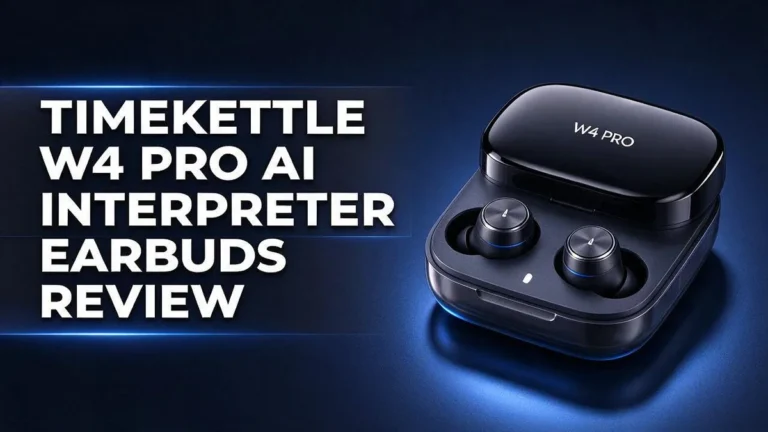
Same brand option: Timekettle also sells the W4 Pro AI Interpreter Earbuds. Buyers who prefer earbuds can explore that model too.
Translation Speed and Accuracy
Speed and accuracy work as a team. A fast reply means little if the meaning comes out wrong.
Reviewers often say translations arrive in under a second. That quick pace keeps the conversation flowing. Nobody has to sit in awkward silence while waiting.
Accuracy tells the other half of the story. In reviewer tests, the T1 reached a success rate of about 95% in conversations. That number shows how often the message landed as intended.
Offline results stand out too. The research puts the T1 at about 90% offline accuracy. Many other handheld devices sit closer to 70%.
That gap matters most when the signal drops. Trains, mountain roads, and quiet rural villages often lack strong data coverage. Good offline accuracy keeps the chat on track.
Everyday speech adds challenges. People use slang, casual phrases, and regional accents. The T1 supports many accents, so local speakers may feel more understood.
Short sentences give the best results. Speak at a steady pace. Pause after each thought so the device has a clear chunk to translate.
Names, places, and numbers need extra care. Say them slowly and clearly. Check the screen if a name looks off, because a small error can change the whole meaning.
Context also helps. Mention the topic first, such as a hotel check in or a restaurant order. Clear context gives the translation more to work with.
Keep expectations realistic. No device catches every nuance. A 95% success rate still leaves room for mistakes, so treat the output as a strong guide rather than a perfect script.
Testing before a trip also helps. Try common phrases at home, like ordering food or asking for directions. You learn the rhythm quickly and feel more relaxed when it counts.
Overall, the T1 delivers quick replies and solid accuracy in the research.
Its offline strength sets it apart from many rivals.
Practice with a few simple sentences first. You will see how well it fits your next conversation.
Language Coverage and Accents
Language coverage tells you whether a device fits your trip. Check the list before you rely on it.
Sources differ on the exact count. One source lists 44 offline pairs, while others mention 31 offline language packs.
Reviews also disagree on totals. Some cite up to 40 languages, while another cites 36 languages. The safest move is to read the current list yourself.
Small gaps matter most at the edges. Differences in counts often show up in less common languages first. Your language may sit right at the edge of the list.
Accents change the game. A French speaker from Quebec sounds different from one in Paris. Regional sounds can confuse any translator.
Accent support helps most with clear, standard speech. Strong local accents may need extra patience from both speakers.
Slang and dialect words often fall outside standard dictionaries. Expect the device to miss casual phrases or local jokes.
Pick a neutral speaking style when you use the device. Use full words, avoid heavy slang, and pause between phrases.
Offline packs need planning. Download the packs for your route before you leave home. Your chosen language must appear in the offline list.
Think about who you talk with most. A pair that matches your daily contacts matters more than a long list of rare options.
Group talks with three or more languages may need extra care. Test the setup with your group before an important meeting.
Look for exact language names on the official list. Broad labels like Chinese or Arabic can hide many regional forms.
Keep a backup plan for rare languages. A phrase book or a quick written note can fill gaps the device misses.
Clear consonants help more than speed. Let the device hear the ends of words before you start the next thought.
Overall, language coverage works best as a checklist. Match your languages, your accent needs, and your offline plans.
Finally, read the language page before each trip. Lists change, so a recent check keeps your plans accurate.
Offline and Online Modes
Some days bring strong internet. Other days bring none at all. The T1 handles both situations well, so you can plan around your route.
Offline mode works like a local helper. The translation engine lives inside the device. You can chat with a shopkeeper in a remote village without any signal. The processing happens right in your hand.
Online mode fills the gaps. When a connection returns, the device can handle words that your offline packs miss. This helps during long trips with mixed coverage. Think of it as a backup plan.
Signal drops happen fast. A crowded elevator or a rural road can cut your connection in seconds. Your device keeps working, so you can keep talking as normal.
Plan for a dead battery. Offline translation keeps the device busy, so power drains faster on long days. Bring a power bank for train rides and hikes. A charged device keeps the conversation going.
Mixed trips need both modes. A day might start in a city cafe and end in the countryside. Your device adapts as you move. Keep the charger handy for the whole day.
Home use matters too. Even at home, offline mode helps when Wi-Fi is weak. A quiet cafe with poor signal can still host a clear talk.
Try flights and tunnels first. Airplanes and subway tunnels are perfect test spots. They show how the device acts with no signal at all. Try a few phrases before you need them in a hurry.
Check the device before an important talk. Confirm which mode is active. Then you can speak with more confidence.
Let each person finish speaking. The device translates best after a full thought. Your listener gets a clear message every time.
Practice at home first. Turn on airplane mode and run a short chat. Notice where the pauses feel long. Small tests build trust before your trip begins.
Top 3 Alternatives
Looking for a different translator? These three options may suit your travel style and daily conversations.
Pocketalk S

- Dependable Real Time Translator : Accurately translate up to 92+ languages and dialects in the palm of your hand...
Last update on 2026-11-05 / Affiliate links / Images from Amazon Product Advertising API
Pocketalk S is a handheld translator with a simple design. You press a button, speak, and the device reads the translation out loud. It works well for quick questions at restaurants, shops, or hotels. It supports many languages, so travelers can talk with locals almost anywhere. Its screen also shows the text, which helps when you want to check your words.
Timekettle WT2 Edge

- Three-in-One Real-Time Translator Earbuds: Supports two-way translation in 43 languages and 96 accents including...
- Natural and Instant AI Translation: M3 uses AI semantic technology to automatically detect and segment speech into...
Last update on 2026-11-05 / Affiliate links / Images from Amazon Product Advertising API
Timekettle WT2 Edge uses wireless earbuds, so your hands stay free. Each person wears one earbud, and the translation plays in their ear. This setup feels natural during longer talks. The earbuds pair with a companion app, which lets you adjust settings and check your history. Keep in mind that both people need to wear the earbuds for the best experience.
Timekettle M3
- Three-in-One Real-Time Translator Earbuds: Supports two-way translation in 43 languages and 96 accents including...
- Natural and Instant AI Translation: M3 uses AI semantic technology to automatically detect and segment speech into...
Last update on 2026-11-05 / Affiliate links / Images from Amazon Product Advertising API
Timekettle M3 is a good pick for people who want a flexible setup. It works with several connection options, so you can use it with a phone or a computer. It also supports group conversations, which helps during meetings or tours. Clear audio and easy pairing make it a practical choice for everyday use.
Each device has its own strengths. Think about how you plan to talk, and choose the one that fits your needs best.
Design and Build Quality
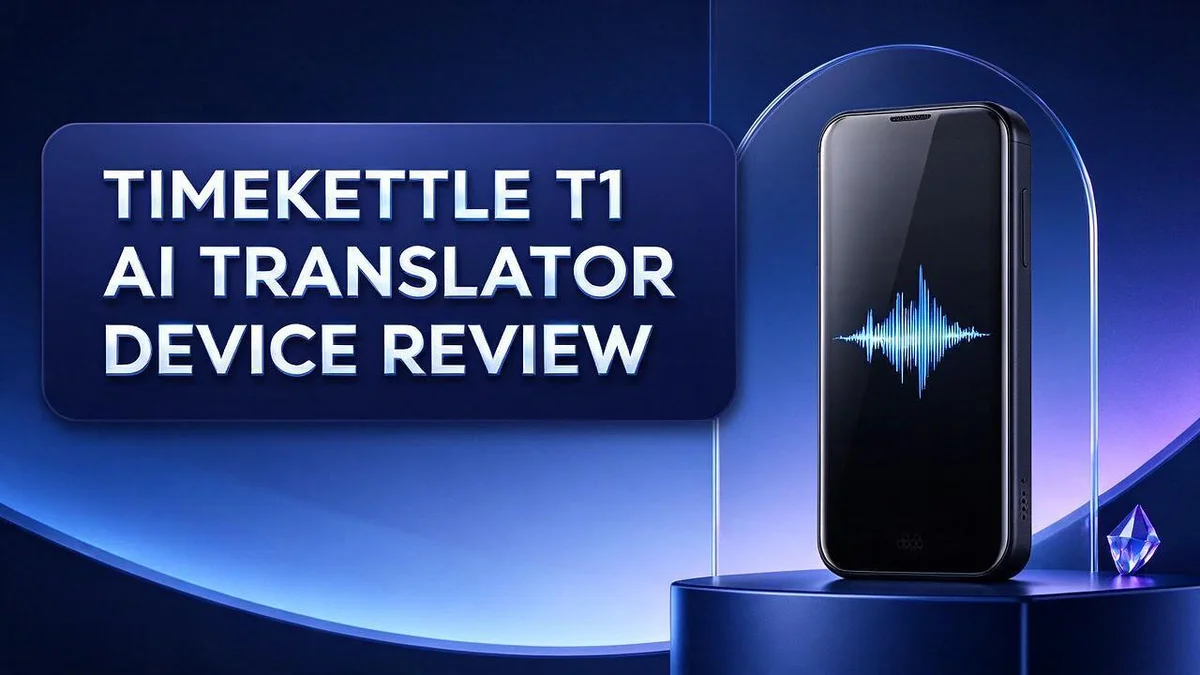
The Timekettle T1 feels light in the hand. Its handheld shape makes it easy to carry all day. You can slip it into a jacket pocket or a small bag without much thought.
Design matters more than many buyers expect. A device you hold for long talks needs to feel comfortable. The T1 takes a premium look, and that look shows care in its finish.
Lightweight design brings clear benefits. Your arm does not tire during a long dinner. You can pass the device across a table with one hand. Holding it up between speakers feels natural.
Premium design also sets expectations. Good materials should feel solid, not hollow. Press the buttons and check for a firm response. Look for smooth edges that do not catch on clothing or bags.
Build quality shows up in daily use. Travel exposes gear to bumps, rain, and heat. A device that feels sturdy in the shop often handles those moments better.
Think about where you will use the T1 most. A city street, a train platform, and a hotel lobby all put different stress on a device.
Handling also affects speech quality. The way you hold the device changes how close your mouth sits to it. Keep a steady grip and hold it at a consistent distance. Small shifts can change how clearly the words come through.
Practical habits extend the life of the device. Keep it in a soft case when you carry it with keys or coins.
Wipe the surface with a dry cloth after use. Avoid leaving it on a hot dashboard or a windowsill in direct sun.
Who benefits most from this design? Frequent travelers often like the compact size. Shop owners and front desk staff may prefer a device that rests well on a counter.
Families may pass it around, so comfort and easy grip matter a lot.
Before you buy, hold the device if you can. Notice the weight in your palm. Check whether the shape suits your hand size. A short test tells you more than a spec sheet ever could.
Pros and Cons
Pros
– Gives fast replies with a 0.2-second response time
– Translates without internet through its on-device AI model
– Reviewers report about 95 percent success in conversations
– Offers stronger offline accuracy, about 90 percent versus 70 percent for rival handhelds
– Switches between offline and online modes on its own
Cons
– The 95 percent accuracy figure comes from the maker’s own claims
– Noisy rooms may make speech pickup harder
– Holding a device between two people can feel awkward in group talks
– The research lists no clear drawbacks, so real tests matter most
Who Should Buy It
Business travelers often meet clients who speak a different language. The T1 suits people who need quick answers during short visits.
A sales rep can order lunch, confirm details, and handle small talk with ease. Confidence grows when the next sentence feels less like a guessing game.
Language students also benefit from the device. Practice conversations feel less stressful when a helper stands ready.
Students can hear how a phrase sounds in another language. They can then repeat it and learn faster.
Tour guides and hotel staff face guests from many countries every day. A handheld helper keeps service smooth when staff lack a shared language.
Hospitality teams can also use the T1 during busy shifts. A hotel clerk can greet a guest in their own language within seconds.
Shop owners in busy markets often serve customers who speak many languages. The T1 helps them greet shoppers and explain product features.
Event staff at trade shows face crowds from many countries. A quick translator can answer directions and session times on the spot.
Remote workers who visit partner offices abroad may find value too. They can greet staff without waiting for an interpreter.
Buyers who work alone on the road may value their independence. The device lets them handle everyday tasks without asking a stranger for help.
Occasional travelers can still benefit if language gaps cause stress on every trip.
Medical clinics in tourist areas may find the device helpful for basic intake questions. Staff should still call a trained interpreter for serious care.
Compare the T1 with your own habits before you buy. Think about how often you talk with people who speak other languages.
If that happens weekly, the device may fit your life well. If it happens once a year, a simpler option may be enough.
Shoppers who want a simple tool for real conversations will likely feel at home. Practice with the device before a big trip to build confidence.
Final Verdict
The Timekettle T1 makes a strong case for itself. It handles everyday translation tasks with ease. Most buyers will find it useful for travel, work, and study.
The best fit is someone who talks with many people in short bursts. Quick questions, menu orders, and hotel check-ins suit the device well. Long lectures or detailed contract talks may need more planning and preparation.
Think about your own routine before you decide. Ask yourself how often you will need translation. A device that sits unused for months gives little benefit. Regular use turns a gadget into a real helper.
Test the T1 before you rely on it. Try it with a friend who speaks your target language. Listen closely to how it handles local accents, fast speech, and slang. Also check how the offline mode behaves when your signal drops. These quick tests show how the device performs in your own setting.
Keep your expectations realistic. The research lists no clear drawbacks, but that does not mean the device is perfect. Brand claims often differ from daily use. Treat the published figures as a helpful starting point, not a guarantee.
Consider the brand’s other option too. The W4 Pro earbuds take a different shape and may suit people who want a more hands free style. Compare how each one fits your habits, your pockets, and your conversations.
In short, the T1 suits frequent travelers, busy service teams, and anyone who wants simple, quick translation. Buyers who value independence on the road will likely enjoy it most. Choose it if your needs match its strengths, and test it first.
Frequently Asked Questions
Can I rely on the T1 for medical or legal talks?
Not on its own. High stakes conversations need a professional interpreter. The T1 helps with simple exchanges, but a small translation error can cause real problems in a doctor’s office or a legal meeting.
Is the T1 a good pick for a first trip abroad?
Yes, it can be. It gives quick help with taxis, menus, and directions. Keep a map app on your phone as a backup so you always have a plan if a phrase gets lost in translation.
What should I check before I travel?
Confirm that your destination language appears on the device’s language list. Then practice a few short phrases with a friend. This helps you learn how the pauses feel in a real conversation.
Can I use the T1 for a long lecture or class?
The T1 works best in short exchanges. For long talks, a live interpreter or written notes usually serve you better. The device fits quick questions more than extended speeches.
How does the T1 differ from the W4 Pro earbuds?
The T1 is a handheld device, so both people share it during a chat. The earbuds sit in one listener’s ears and may suit hands free use. Pick the format that matches how you talk with others.

Hi, I’m Simmy — the founder and voice behind AI Gadgets Insight. I’m a tech enthusiast who loves exploring the latest AI gadgets, smart devices, and innovative tech products. I started this blog to help people make smarter tech choices with honest reviews, easy-to-follow comparisons, and practical buying guides.