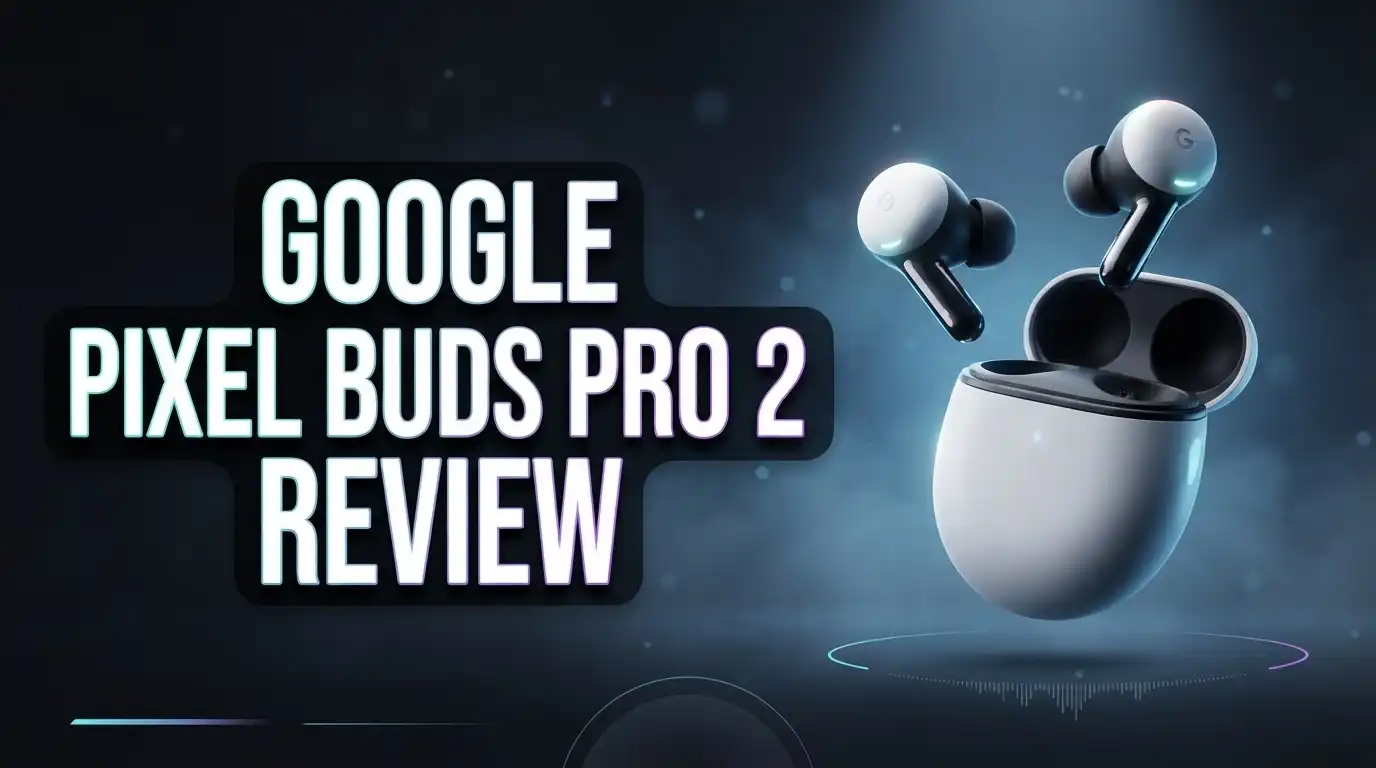
Google Pixel Buds Pro 2 Review 2026: Is It Worth Trying?
Looking for earbuds that do more than play music? The Google Pixel Buds Pro 2 bring Gemini right into your ears. They pack a Tensor chip, strong noise cancellation, and premium sound.
Just say “Hey, Google” to get hands free help on the go. You can also manage EQ presets or switch noise cancellation on and off through connected apps.
These buds are 24% lighter and 27% smaller than the original. Stabilizers that twist to fit keep them secure during workouts and commutes. They are also water resistant, so a little sweat will not slow you down.
Battery life gives you 8 hours from the earbuds and 30 hours with the case. Fast charging helps when you are running late. Let’s see if these Gemini earbuds earn a spot in your daily routine.
In a Nutshell
-
Sound quality stands out. The buds deliver rich, immersive audio powered by the Tensor chip. Music sounds clear and full, which makes everyday listening more enjoyable.
-
Noise cancellation blocks distractions. Active noise cancellation works well on busy commutes. Transparency mode lets you hear your surroundings when you need to stay aware.
-
Comfort lasts through long listening sessions. Stabilizers that twist into place keep the earbuds secure. You can wear them for hours without constant adjusting.
-
Water resistance adds confidence. The buds handle sweat well, so gym sessions and outdoor runs feel less stressful. You can focus on your workout instead.
-
Spatial audio adds depth. Music and movies feel wider and more lifelike. This feature makes watching shows on your phone more immersive.
-
Call quality deserves a closer look. Some users report weaker call performance. Try a real phone call during your return window before you decide.
Design and Fit

- Google Pixel Buds Pro 2 are designed to be the most comfortable earbuds yet, with a twist-to-adjust fit; they’re...
- Pixel Buds Pro 2 are made to stay put; use the twist-to-adjust stabilizer to lock your earbuds in during workouts...

Last update on 2026-11-04 / Affiliate links / Images from Amazon Product Advertising API
Good design starts with a comfortable fit. Every ear is unique, so the right earbud should feel almost invisible.
The Pixel Buds Pro 2 come with several ear tip sizes. Try each size before you decide. A good seal also helps the noise cancellation perform at its best.
Take a moment to test the seal. Gently tug on your ear and listen for changes in bass. If the sound stays full, the fit is likely right.
Ear shape matters too. Some people have smaller ear canals, while others prefer a snug feel. Many listeners find a comfortable match after a few tries.
Weight in hand also affects comfort. A light bud feels less noticeable after an hour of listening.
Movement tests the design too. Quick head turns, jogging steps, and bus rides should not shake the buds loose.
A proper fit also keeps sound clear. Loose buds can leak sound and let in wind noise during walks, so a snug seal matters.
The case deserves attention as well. A compact case slides easily into a pocket. It suits people who travel light or carry small bags.
Wearing glasses or a helmet can change how an earbud sits. Run a short test before a long ride or a busy day.
Fit is personal. Small changes in tip size can make a big difference. Take your time and enjoy the result.
Keep the earbuds clean. Dirt and earwax can weaken the seal over time. A soft, dry cloth works well for quick wipes.
Check the companion app for setup tips. Software updates may also improve how the buds sit in your ears.
Think about your daily routine before you settle on a fit. Commuters, gym fans, and office workers all have different needs.
Stay patient during setup. A few minutes of testing can save you from discomfort later.
Finally, trust your own comfort test. The best design feels like nothing at all in your ears.
Sound and Noise Control
Sound and noise control shapes how you experience every song, podcast, and quiet moment. The Google Pixel Buds Pro 2 give you several ways to adjust what you hear. Here is how to use them well.
Use your voice to change modes. Say “Hey, Google” to turn noise cancellation on or off. Your hands stay free, and you never need to dig through your phone.
Transparency mode keeps you aware. When you need to hear your surroundings, this mode lets outside sounds come through. Reviewers praise it, which makes it a smart pick for busy crosswalks and train platforms.
Match the setting to your day. Use full noise cancellation at a loud gym or on a crowded train. Switch to transparency when you walk through a busy store or chat with a coworker.
Try the EQ presets. The companion app and Gemini offer EQ presets that shape bass, mids, and treble. Play the same track with a few presets. You may find one that makes vocals clearer or beats punchier.
Podcasts need clear voices, so a preset that favors the midrange often helps. Bass heavy tracks may need more low end. Keep short notes on what works best. Over time, you will build a routine that feels natural.
Test before a long trip. Long flights and road trips put noise control to the test. Download a few episodes, then listen with noise cancellation on for a full hour. This simple check shows whether the buds keep your focus steady.
Sound preferences take time to form. Give each preset a fair chance before you decide. Small adjustments often bring big gains in comfort and clarity.
Gemini Integration and Controls
Gemini plays a big role in how you use the Pixel Buds Pro 2. You can ask it questions without reaching for your phone.
Picture your morning routine. You might ask for the weather while you tie your shoes. You might set a reminder while you walk to the bus stop.
Short, clear requests work best. Say the full request in one breath. Phrases like “Remind me at six” get quick answers. Gemini handles natural speech, so you do not need special commands.
Gemini also works with your phone apps. Ask it to play a playlist, check your calendar, or send a message. Keep your apps updated so these tasks run smoothly.
Privacy deserves a moment of thought. Gemini listens for your voice prompts, so you should know when it responds. Open the Google app and review your microphone and assistant settings.
Multitasking becomes easier with voice control. Ask Gemini to set a timer while you cook. Ask for directions while you walk to a meeting. Your hands stay free for the task in front of you.
Companion app controls add another layer. The app lets you adjust settings beyond quick voice requests. Check it after each update, since new options may appear over time.
Gemini can also help you stay organized. Ask it to add an event to your calendar or read your next appointment. These quick checks keep your day on track without extra taps.
Learn the commands that matter most to you. Start with three or four tasks during the first week. Notice which ones save you the most time. Small habits turn into a smooth daily routine.
Gemini features can vary by phone model and software version. Some options may roll out in stages. Stay patient if a command does not appear right away.
Voice control feels most natural when you practice. Speak at a steady pace in a quiet room first. Then try it on a busy street or in a noisy café.
Top 3 Alternatives
Sony WF-1000XM5

- Bundle Includes: Sony WF-1000XM5 True Wireless Noise-Canceling In-Ear Headphones (Black), Goby Labs Headphone...
- Powered by advanced integrated processors and dual feedback microphones, the WF-1000XM5 delivers highly effective...
Last update on 2026-11-04 / Affiliate links / Images from Amazon Product Advertising API
Sony WF-1000XM5 gives you top-tier noise canceling in a compact case.
The sound feels rich, detailed, and clear. Bass lovers will enjoy the punchy low end.
Calls sound sharp too. The built-in microphones pick up your voice well.
The fit suits long listening sessions. Battery life lasts a long time between charges.
The companion app lets you tweak the sound to match your taste.
Bose QuietComfort Earbuds

- ADAPTIVE NOISE CANCELLING FOR EVERYDAY FOCUS: Quiet Mode reduces distractions during commuting, desk work, or...
- PERSONALIZED SOUND WITH BOSE IMMERSIVE AUDIO: CustomTune measures how your ears shape sound and adjusts audio...
Last update on 2026-11-04 / Affiliate links / Images from Amazon Product Advertising API
The Bose QuietComfort Earbuds focus on comfort and quiet.
They block out background noise on busy trains, loud streets, and noisy offices.
The fit feels light and snug. You can choose from several ear tip sizes for a secure seal.
Voice pickup works well for calls. Bose also offers a simple app for controls and updates.
If you want calm listening every day, these earbuds deliver a steady experience.
Apple AirPods Pro

- WORLD’S BEST IN-EAR ACTIVE NOISE CANCELLATION — Removes up to 2x more unwanted noise than AirPods Pro 2* so you...
- BREAKTHROUGH AUDIO PERFORMANCE — Experience breathtaking, three-dimensional audio with AirPods Pro 3. A new...
Last update on 2026-11-04 / Affiliate links / Images from Amazon Product Advertising API
Apple AirPods Pro work best for people who already use an iPhone, iPad, or Mac.
Setup takes seconds once you open the case near your device.
Adaptive audio blends noise canceling with transparency mode. You can hear traffic or announcements when you need to.
Spatial audio makes movies and games feel bigger.
Wireless charging adds extra convenience, and the case fits easily in a pocket.
Battery and Charging
Battery life shapes how you use your earbuds every day. The Pixel Buds Pro 2 earbuds run for about 8 hours on one charge. Add the case, and you can reach roughly 30 hours in total.
That number sounds generous. Real life depends on your habits, though. Long calls, heavy noise cancellation, and loud volume all draw more power. Plan your charging around your schedule instead of guessing.
Check the battery level before you leave home. A quick glance prevents surprises on a busy commute. Keep the case handy in your bag too.
Fast charging helps on busy days. The Pixel Buds Pro 2 support fast charging, so a short top up goes a long way. Place them in the case during a coffee break and get back to your music.
Plan charging around your travel days. Long flights and road trips call for a fully charged case. Charge both earbuds and the case the night before. You will avoid dead batteries at the gate.
Build a simple charging routine. Drop the earbuds in the case each time you finish listening. Many people forget this step. A habit keeps your battery ready when you need it most.
Watch for changes in playback time. Batteries lose some strength over the years. A sudden drop in playtime may signal an issue. Reach out to Google support if the change feels unusual.
Treat the case as a backup power source. The case stores extra energy for your earbuds. Keep it charged so you can refill the buds during a long day.
Match charging to your desk routine. Place the case near your workspace. A nearby cable makes plugging in simple. Small habits add up.
Think about battery over a full week. Track how often you recharge. Notice which days drain the buds fastest. This simple review helps you adjust your habits and avoid surprises.
Good battery habits make every listening session better. Charge often, watch the level, and keep the case ready. Your music stays on when you need it most.
Pros and Cons
Pros
- Comfortable for long wear, thanks to the twist fit stabilizers
- Strong sound quality with clear detail and rich depth
- Water resistant, so sweaty runs and rainy walks are fine
- Spatial audio adds depth to movies and music
- Say “Hey, Google” to start without touching the buds
Cons
- Call quality draws criticism from some users
- Size claims split reviewers, so the shrink may feel small
- The Samsung Galaxy Buds 2 Pro is a strong rival for many shoppers
- Some alternatives may suit Android users better
Who Should Buy It
Not every shopper needs the same earbuds. The Pixel Buds Pro 2 fit certain listeners best. Think about your daily routine before you decide, and be honest about how you use them.
Commuters make up a strong group of ideal buyers. Busy trains and crowded sidewalks demand constant attention. Transparency mode lets you hear announcements without removing the earbuds.
Frequent travelers can also gain real benefits. Airports, hotel lobbies, and planes often feel noisy. Active noise cancellation helps you rest, focus, or enjoy a movie on the go.
Students and remote workers may appreciate the quiet focus. Shared libraries and home offices can get loud fast. Switching noise control on or off takes only a moment.
People who want hands free help all day should take a close look. Voice commands keep your hands free for bags, coffee, or a grocery cart. This type of listener will use Gemini most often.
Language learners can use these earbuds for daily practice. Podcasts and lessons sound clear during walks. Transparency mode also keeps you aware of your surroundings.
Museum visitors and city walkers can follow guided audio with ease. The buds keep the sounds around them easy to hear.
Heavy phone talkers should consider other options. Anyone who spends hours on calls each day should look elsewhere. Another model may serve those needs better.
Owners of older Pixel earbuds may find the upgrade worthwhile. The newer features make the switch feel like a clear step forward.
If you mostly listen at a desk or on the couch, you may not need every feature. A simpler model could still deliver great audio with less daily effort.
Ask yourself three quick questions. Do you move around often? Do you need voice help during the day? Do you take many calls? Your answers point to the right choice.
Think about your habits first. Match the features to your day. A good fit feels natural from the first use.
Final Verdict
The final verdict is simple. The Pixel Buds Pro 2 earbuds suit people who live inside the Google ecosystem.
They pack a Tensor chip, clear sound, and useful controls into a lighter body.
Transparency mode deserves special praise. You can hear traffic, announcements, or a friend calling your name without removing the buds.
The Gemini controls also add real value. You can adjust EQ presets and switch noise cancellation on or off through connected apps.
This means you tune the sound in seconds, not minutes.
Still, the trade offs matter. Call quality has drawn complaints, so heavy phone users should test the microphone first.
Reviewers also disagree on size, so try the fit in person when possible.
A note on setup. Download the connected app before pairing so you can use every control right away.
Good setup takes only a few minutes, and it pays off every day.
Gemini features shine most on a Pixel phone. Check your setup before you buy.
Who should buy these? Pixel owners who want smooth integration will feel at home.
Music lovers who care about detail will also enjoy the balance of bass and clarity.
Shoppers who mostly take calls at work may want a different pick.
Compare features side by side. Look at noise cancellation, controls, and transparency mode in person, not just in reviews.
Read the return policy before you buy. A good return window lets you test the fit at home.
Final tip: test these earbuds on a real walk or commute.
Notice how the sound, fit, and transparency mode feel in daily use.
Bottom line: the Pixel Buds Pro 2 earn a spot on your shortlist.
They feel light, sound rich, and respond well to your voice. Check your daily habits first, then commit with confidence.
Frequently Asked Questions
Does the charging case add extra listening time?
Yes, the case adds a lot of power. You get about 30 hours in total with the case. The buds can rest inside the case between trips, so your playlist keeps going all day.
Does the Pixel Buds Pro 2 support fast charging?
Yes, fast charging is supported. A quick top up before you leave can give you enough power for a commute. This helps when you forget to charge the night before.
What does the Tensor chip do?
The Tensor chip is Google’s custom chip inside the buds. It helps run the features you use every day. That includes active noise cancelling and Gemini controls, so the buds handle these tasks smoothly.
Can I change the sound without a complicated setup?
Yes, you can use EQ presets through connected apps. Pick a preset for music, podcasts, or calls. Small changes can make voices sound clearer or bass feel fuller.
Should I compare these earbuds with other models first?
Yes, comparing is a smart move. Many shoppers look at other brands before they decide. Check fit, call quality, and Gemini support side by side. The Samsung Galaxy Buds 2 Pro is one option to review, and Reddit threads often ask about other alternatives too.

Hi, I’m Simmy — the founder and voice behind AI Gadgets Insight. I’m a tech enthusiast who loves exploring the latest AI gadgets, smart devices, and innovative tech products. I started this blog to help people make smarter tech choices with honest reviews, easy-to-follow comparisons, and practical buying guides.