ASUS Chromebook CM34 Flip Review: Worth The Hype?
Looking for a laptop that also works as a tablet? The ASUS Chromebook CM34 Flip could be the right pick for you.
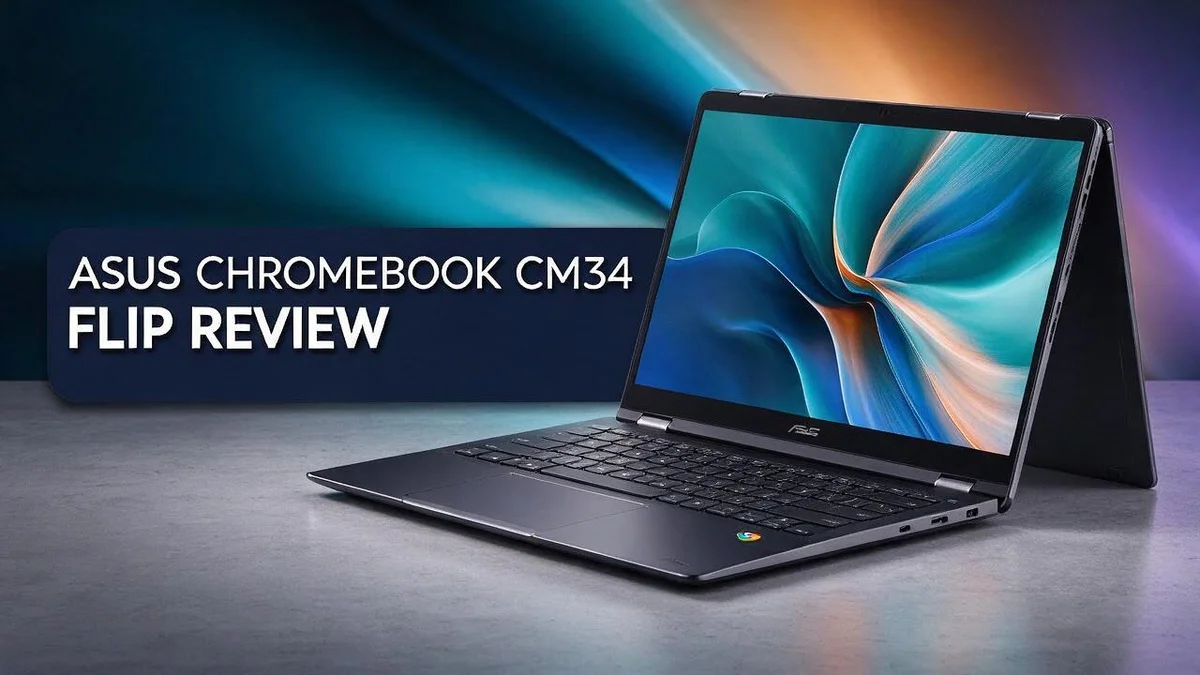
This Chromebook Plus model runs on an AMD Ryzen processor. It also has a Full HD display and a flip design. You can use it like a laptop or fold it back into tablet mode.
Video lovers will likely enjoy the sound. Many owners say the speakers are loud for a laptop. The Sound by Harman Kardon branding adds extra clarity to movies and music.
Battery life is another highlight. ASUS promotes all day use, though real results can vary. Some reviewers also say the hinge needs careful handling over time.
In this review, we cover performance, design, and daily use. Keep reading to see if this flip Chromebook fits your needs.
In a Nutshell
- Gaming holds up: One reviewer says gaming meets expectations. Casual players should find it workable for popular titles and light gaming sessions.
- Full HD screen: The FHD display gives sharp visuals for streaming, browsing, and document work. Text and images look clear on a small desk or in a cafe.
- Hinge care matters: Some owners criticize the hinge design. One owner reported a hinge break at about 9 months, so handle flip mode gently.
- Chromebook Plus standards: This model belongs to the Chromebook Plus category. That label signals extra features and stronger hardware for everyday work.
- Competitor options: Shoppers can compare the Lenovo Flex 3i 12 inch, Lenovo Chromebook Plus 14, Acer Chromebook Plus Spin 514, and ASUS ExpertBook CX54. Each option offers a different mix of size, power, and features.
- Check the specs: RAM, storage, and exact display size were not confirmed in our research. Review the listing for full details before you decide.
Design and Hinge Build Quality

- FREE GOOGLE ONE AI PREMIUM PLAN — Get Gemini Advanced, 2TB of cloud storage, and more for 3 months at no cost*
- SMOOTH MULTITASKING — Powered by the Intel Celeron N4500 Processor, enabling decent multitasking experience
Last update on 2026-11-23 / Affiliate links / Images from Amazon Product Advertising API
The design of this laptop shapes how you use it every day. The screen flips back, so the device can switch modes.
You can type in classic laptop mode. You can prop it up in tent mode. You can also hold it like a tablet.
This flexibility helps when you watch videos, draw notes, or share a screen with friends. It feels handy in small spaces too.
Build quality is the next big question. A flip design asks the hinge to do a lot of work.
Every time you open, fold, or flip the lid, the hinge takes stress. Many shoppers look at the hinge first. It affects comfort, screen position, and how long the device lasts.
Some owners report that the hinge design feels weak over time. One owner reported a broken hinge at about nine months of use.
One case does not prove a trend. Still, it gives you a reason to test the hinge yourself. If you flip the screen often, a sturdy hinge matters more than you might expect.
Try these checks before you buy.
Open the lid with one hand. A good hinge should hold the screen at many angles without wobbling.
Tilt the screen back fully. Listen for creaks or clicks. Check that the lid stays in place when you tap the keyboard.
Look at the hinge area from the side. Gaps, loose parts, or uneven edges can signal weak assembly.
Handle the lid gently every day. Avoid forcing the screen past its limit. Hold the base still when you open it.
Use a flat, stable surface like a desk when you flip the screen back. A desk works better than a soft bed or your lap.
Think about your daily routine too. Students, travelers, and home users may open the lid often.
The ASUS Chromebook CM34 Flip uses this flip style for extra flexibility. Flexibility only helps when the build feels solid.
Check the warranty length before you commit. Ask the seller about return options if the hinge feels weak on arrival.
Materials were not confirmed in our research, so testing the device in person helps.
Display and Sound Performance
Where you use the screen matters a lot. Think about your daily spots, such as a bright kitchen or a dim bedroom. Each place shows the display in a different way.
Glare can ruin a good picture. Sunlight from a window may reflect off the glass. Try sitting with the window at your side, not behind you, to reduce reflections.
Viewing angles help when friends gather. When you tilt the screen for a group, the picture may shift in color. Check how the image looks from the side before you decide.
Dark scenes show contrast clearly. Watch a night scene and check whether shadows look dull or muddy. Good contrast keeps small details visible.
Tent mode can change how sound feels. Many laptop speakers face the desk, so the sound may feel thin from across the room. Test the speakers both on the table and in a tent shape.
Sound in games feels different. Explosions and music may blend together. Play a loud scene and listen for muddy bass or harsh highs.
Voices matter on video calls. Clear speech helps others understand you. Test a call with a friend and ask how your voice sounds.
Bring your own playlist to the shop. Store demo audio often sounds too polished. Use a song you already know well for a fair test.
Background noise can hide quiet details. Fans may spin up during heavy tasks. Listen closely during a movie scene with soft dialogue.
Streaming quality depends on your connection. A weak home network may drop picture detail. Test a show on your own network so you see real results.
Brightness levels deserve a quick check. Set the screen to maximum and then lower it. Look for a level that feels comfortable for long reading sessions.
Headphones give you private sound. Pair a set of earbuds for late night movies. Your neighbors will thank you.
Long hours can cause eye strain. Take short breaks and rest your eyes often.
A short test tells the full story. Spend ten minutes with the screen and speakers before you decide. Your own senses offer the best guide.
Everyday and Gaming Performance
Everyday work is where this laptop shines most. Your typical day includes email, web pages, and documents. The AMD Ryzen processor keeps these tasks moving along nicely.
Multitasking is a common real world test. Open ten or more browser tabs, then start a video call. A smooth response tells you a lot about daily comfort.
Chromebook Plus models can also run Android apps from the Google Play Store. You can use messaging apps, note tools, and simple photo editors. This adds useful range without extra software.
Startup and app switching matter too. Chrome OS usually opens apps quickly on modern hardware. Pay attention to how fast the laptop wakes from sleep.
Battery life matters on busy days. ASUS claims a full day of use, but that claim is not verified. Test it with your own routine, such as class notes or a long trip.
Gaming works best with lighter titles. Think puzzle games, card games, and classic arcade favorites. These games run in the browser or through Android apps with less strain.
Cloud gaming opens more doors. Services stream demanding games from remote servers. The laptop mainly shows the picture, so the chip does less heavy lifting. A strong internet connection makes this experience much better.
Heavy modern games may push the hardware harder. The research does not list frame rates or graphics details. Check game reviews for your favorite titles before you commit.
Watch for warmth during long sessions. The keyboard area can heat up when the system works hard. Place the laptop on a flat surface so air can flow freely.
Set realistic goals for play time. Use the laptop for casual sessions, study breaks, and short matches. You will enjoy it more when your expectations match what the hardware does well.
Keep the system updated for the best speed. Close unused tabs when the laptop starts to slow down. Simple habits keep daily work feeling quick.
Top 3 Alternatives
Acer Chromebook Spin 714

- Intel Core Ultra 5 115U processor with integrated Intel Graphics and AI acceleration
Last update on 2026-11-23 / Affiliate links / Images from Amazon Product Advertising API
The Acer Chromebook Spin 714 suits people who want a premium flip design. It has a bright touchscreen and a sturdy metal body that feels solid on the desk.
You can use it as a laptop, a tent, or a tablet. Long battery life keeps it running through classes or busy workdays. Its clear webcam and speakers also make video calls easier. Many buyers like how quickly it wakes from sleep.
HP Chromebook x360

- Seamless Performance: Equipped with the efficient Intel Core i5-7Y54 CPU and 8GB of RAM, this laptop delivers...
- Instant Boot-Up & Storage: The 128GB Solid State Drive (SSD) ensures near-instant boot times and fast file access...
Last update on 2026-11-23 / Affiliate links / Images from Amazon Product Advertising API
The HP Chromebook x360 gives you a flexible design for everyday tasks. The screen folds all the way back, so you can switch to tablet mode in seconds.
Its keyboard feels smooth and quiet, which helps during long writing sessions. Shows look great on its bright display. Setup takes only a few minutes with your Google account. It is light enough to carry in a backpack each day.
Lenovo Flex 5i

- 【Powerful Storage】: 16GB DDR5 SDRAM Memory, 512GB Solid State Drive
- 【Powerful Intel Core Performance】: Intel Core 5 120U Processor (10 Cores, Max Turbo Frequency Up to 5.0GHz...
Last update on 2026-11-23 / Affiliate links / Images from Amazon Product Advertising API
The Lenovo Flex 5i works well for people who multitask often. Its hinge rotates fully, so the screen can lie flat or stand upright.
The keyboard offers comfortable key travel for typing emails and reports. Its bright display stays clear even near windows. Its compact size fits neatly in small bags. Choose this model if you want a simple machine that switches smoothly between work and play.
Battery Life and Portability
Battery life shapes your daily routine more than any spec sheet. A laptop that lasts through a school or office day feels easier to trust. Here is how to judge it for yourself.
The manufacturer promises a full day of use. Real results depend on your habits. Streaming video drains power faster than typing notes.
Try a simple test at home. Charge the laptop to full in the morning. Use it for your normal tasks, and note the battery level every hour. You will see a clear pattern by the end of the day.
Screen brightness makes a big difference. Lower the brightness when you sit near a window or in a dim room. This small step can stretch your time away from the charger.
Background tasks also use power. Close browser tabs you do not need. Quit apps you forgot were open. These habits help the battery last longer on busy days.
Closing the lid puts the laptop to sleep. This saves power between classes or meetings. Shut the laptop down fully before a long trip, so it starts fresh when you need it.
Portability depends on how you carry it. Slide the laptop into a padded sleeve before placing it in a backpack. This protects the screen and the hinge from bumps. Keep the charger in a separate pocket so it never gets lost.
Think about your travel days too. A short trip to a coffee shop needs less power than a full day away from outlets. Plan your charging spots before you leave home.
Small charges add up. Top up the battery during lunch breaks or short waits. A quick charge now can save you a stressful moment later. Keep the charger nearby on busy days.
Bring the official charger on every trip. Store the adapter with its cable in one spot. This habit prevents last minute searches before you leave.
Battery life and portability work together. An easy to carry design paired with steady power gives you more freedom. Test the battery yourself, and you will know exactly what to expect.
Pros and Cons
Pros
- Video playback looks smooth for shows and streaming.
- The speakers get loud for a laptop of this size.
- The AMD Ryzen chip handles everyday tasks with ease.
- The Chromebook Plus category adds extra features and a higher standard.
- You can shift the screen into tablet-style shapes for quick viewing.
Cons
- Some reviewers criticize the hinge design.
- One owner reported hinge breakage at about nine months.
- Exact RAM, storage, and screen size are not confirmed in current details.
Who Should Buy It
This laptop fits several types of buyers well. Its Chromebook Plus features and flexible screen suit many daily routines. Here is who should consider it first.
Students who live in Google tools will feel right at home. Docs, Slides, and Classroom run smoothly in the browser. Notes and assignments stay in one organized place.
Families who share one device may find it very useful. Each person can sign in to a separate profile. Homework, streaming, and quick searches all fit on one machine.
Remote workers who rely on web apps can get plenty done. Email, video meetings, and shared documents all live in Chrome. Most daily office tasks never need a heavy desktop program.
People who want Android apps will appreciate the extra range. Chromebook Plus models can run apps from the Google Play Store. Favorite mobile tools now get a bigger screen.
Casual creators who edit simple media may enjoy the display. Photos and short clips look sharp for quick edits. Heavy editing work, however, needs a more powerful machine.
Anyone who wants a second laptop can also benefit. It can serve as a spare device for guests, travel, or a second room in the house.
Buyers who like simple setups will feel comfortable here. Chrome OS keeps menus clean and easy to learn. Older relatives or new computer users can pick it up quickly.
Who should look elsewhere? People who need demanding desktop software may want a different path. Professionals who depend on specialized programs will likely need a Windows machine instead. Shoppers who want more confidence in hinge quality should compare the Lenovo Flex 3i or the Acer Chromebook Plus Spin 514 side by side.
Ultimately, the right choice depends on your daily routine. Think about the apps you use most and how often you travel. That simple check reveals whether this model fits your life.
Final Verdict
The ASUS Chromebook Plus CM34 Flip is a solid choice for everyday use. It handles video well, and its speakers sound fuller than many laptops in this class. Still, a few gaps deserve a close look before you decide.
The biggest question mark is durability. Some reviewers criticize the hinge, and one owner reported breakage at about nine months. Check the warranty terms and read recent owner feedback before you commit.
Specs need a closer check too. Exact RAM, storage, and screen size remain unconfirmed in current details. Look at the official spec page so you know exactly what you get.
Battery claims deserve a grain of salt. The manufacturer promises all-day power, but that claim has not been independently verified. Your habits will shape the real results, so treat the claim as a helpful guideline.
Think of this model as a strong all rounder rather than a perfect machine. It performs well for video and light gaming, and the flip design lets you switch modes quickly. However, the hinge concern keeps it from earning top marks for long-term toughness.
Compare before you buy. The Lenovo Flex 3i and Acer Chromebook Plus Spin 514 offer similar flip designs. Put the hinge build, keyboard comfort, and warranty length side by side before you choose.
Our recommendation is clear. Pick the CM34 Flip if you want a versatile Chromebook with strong media features and a friendly learning curve. Skip it if you need a sturdy hinge for heavy daily handling or demanding desktop software.
Frequently Asked Questions
Can this laptop handle games?
One reviewer said gaming meets expectations on this model. Light titles should run well. Demanding games may feel slow, so check the system needs of any game before you buy.
Are the speakers worth considering?
Many owners say the speakers get loud for a laptop this size. If sound matters most, look for the Sound by Harman Kardon version of the CM3401 model. Listening to music, videos, or class lectures becomes much more enjoyable with good audio.
How can I check the hinge before buying?
Hinge breakage has come up in some reviews, so test the flip motion in a store if you can. Read the return policy and the warranty length too. A longer warranty gives you more peace of mind if the hinge wears out early.
Which other ASUS model should I compare?
The ASUS Chromebook CX15 is worth a look if you want another ASUS option. Check its screen size and specs against your daily tasks. This helps you choose the model that fits your routine best.
Should I wait for a newer model?
Laptop makers release new versions often. Check the release date and recent reviews before you decide. If this model covers your daily needs, buying now can make sense.

Hi, I’m Simmy — the founder and voice behind AI Gadgets Insight. I’m a tech enthusiast who loves exploring the latest AI gadgets, smart devices, and innovative tech products. I started this blog to help people make smarter tech choices with honest reviews, easy-to-follow comparisons, and practical buying guides.