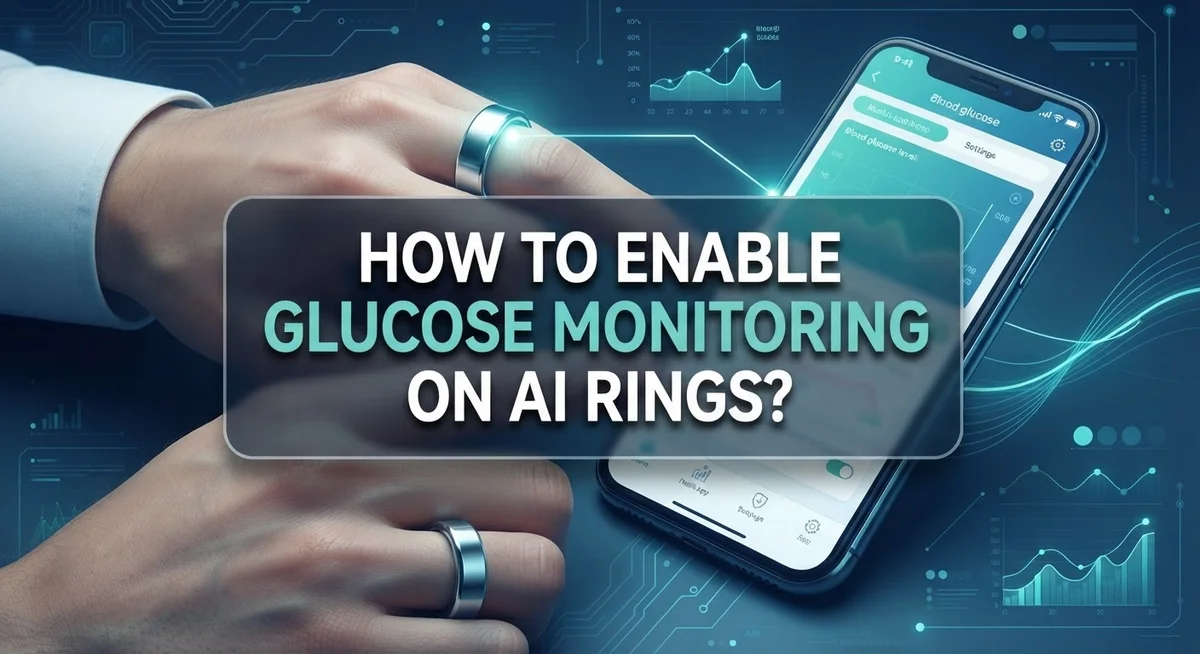
How to Enable Glucose Monitoring on AI Rings?
Smart rings can track your sleep, heart rate, and activity. But can they check your blood sugar too? Many people search for ways to enable glucose monitoring on AI rings, hoping for a simple software fix.
Here is the truth. No smart ring can measure glucose on its own. The FDA has warned that non-invasive devices like rings and smartwatches are not approved for blood glucose readings. These devices skip skin piercing, so their accuracy remains unproven.
The good news? There is a real, approved way to connect glucose data with your ring. Some rings, like the Oura Ring, work alongside separate biosensors such as Stelo by Dexcom. This combo gives you actual continuous glucose monitoring, paired smartly with your ring app.
In this guide, we will explain how this pairing works. You will learn the exact steps to set up your CGM app, insert your biosensor, and sync your data.
In a Nutshell
- AI rings cannot measure glucose on their own. The FDA has not approved any smart ring for direct blood glucose tracking. Rings without skin piercing simply cannot do this job accurately.
- A real solution does exist. You can pair your ring with an approved continuous glucose monitor. This combo gives you accurate data without breaking any FDA rules.
- The Stelo by Dexcom app makes this possible. You download the app, create an account, and insert a small biosensor on your upper arm. Your ring then works alongside this external sensor.
- The biosensor does the real work. It sits on your arm, not your finger. This is what actually reads your glucose levels safely.
- Avoid unapproved rings that claim direct glucose tracking. These readings are not validated and can mislead your health decisions.
- Always follow the official app setup steps. This ensures your data stays accurate and your monitoring stays safe.
Why AI Rings Can’t Measure Glucose Directly
AI rings cannot measure glucose directly because they lack the technology to pierce skin and access blood. Your ring sits on the surface of your finger. Blood glucose requires a sample from inside your body, not from skin contact alone.
The FDA has been clear on this point. No smartwatch or smart ring without skin piercing capability has received approval for blood glucose measurement. Devices that claim to do this without FDA authorization produce unreliable readings. Using an unapproved ring for glucose decisions could harm your health.
Why the limitation exists: Glucose lives in your bloodstream. A ring cannot reach it without breaking the skin barrier. Non-invasive light sensors and thermal readings cannot accurately measure blood sugar levels. The science simply does not support this capability yet.
Some rings use optical sensors that attempt to estimate glucose through light reflection. These estimates lack medical validation. They may show trends, but they cannot replace actual glucose measurements. The FDA requires rigorous testing before approving any device for medical use.
What this means for you: If you want real glucose tracking with your ring, you need a separate approved system. The ring becomes a companion device, not the measuring tool. It receives data from an external biosensor and displays that information in an app.
Unapproved ring glucose features often mislead users into thinking they have accurate medical data. This false confidence can lead to poor health decisions. Always check FDA status before trusting any device with your health information.
The bottom line: Your ring can sync with approved glucose monitors, but it cannot be the monitor itself. Understanding this difference protects your health and helps you make informed choices about which tools actually work.
Understanding FDA Regulations on Non-Invasive Glucose Devices
The FDA maintains strict standards for devices that measure blood glucose. Any device claiming to measure glucose must go through rigorous testing and receive official approval before it can be marketed to consumers.
Smart rings and smartwatches currently on the market do not have FDA authorization for direct glucose measurement. The agency has issued clear warnings about this. Devices without skin piercing capability cannot access blood, which is where glucose levels are measured. This is a fundamental limitation.
Why does the FDA care so much? Glucose readings directly affect medical decisions. People with diabetes rely on accurate data to dose insulin and manage their health. Inaccurate readings can lead to serious harm. The FDA requires proof that a device works reliably before allowing it into the market.
Non invasive ring based sensors attempt to estimate glucose through light reflection or other indirect methods. These estimates lack the validation needed for medical use. The FDA has not approved any of these approaches for glucose monitoring on rings.
What about rings that claim to track glucose? These features are not FDA cleared. Using them for medical decisions is risky. Your health provider would not recommend relying on unvalidated glucose data from a ring.
The approved path forward involves pairing your ring with a legitimate continuous glucose monitor. This approach separates the measurement device from the wearable tracker. The biosensor does the actual measuring. Your ring then displays the data through an app.
Understanding these FDA regulations protects you. Approved devices have been tested and proven accurate. Unapproved devices may give you false confidence in incorrect readings. Always verify that any glucose monitoring system carries FDA authorization before using it for health decisions.
When shopping for glucose tracking options, ask your doctor which systems have proper FDA approval. Your healthcare provider can recommend validated solutions that work with your ring.
The Approved Path: Pairing Oura Ring with Stelo by Dexcom
Your AI ring cannot measure glucose on its own. The FDA has not approved any smart ring for direct blood glucose tracking. However, you can pair your ring with an approved continuous glucose monitor system to get real glucose data.
The approved path involves using Stelo by Dexcom. This app works with your ring to display glucose information. Start by downloading the Stelo by Dexcom app on your phone. You can find it on iOS or Android app stores.
Next, create your Stelo account. Follow the app’s instructions to set up your account. You will need to provide basic health information. This step takes just a few minutes.
The real glucose measurement happens through a small biosensor. This biosensor goes on the back of your upper arm, not on your ring. You insert it yourself following the app’s guidance. The biosensor stays in place for about two weeks.
Your ring then syncs with the Stelo app to display your glucose data. The ring acts as a companion device that shows you readings from the biosensor. This setup gives you accurate, FDA approved glucose information.
Why does this matter? Smart rings use optical sensors that cannot reliably measure blood glucose. They cannot pierce skin to access your bloodstream. Light based estimates produce inaccurate readings that can mislead your health decisions.
The biosensor system works differently. It measures actual glucose levels in your interstitial fluid. This is clinically validated and FDA cleared.
Your ring becomes genuinely useful for glucose tracking when paired with an approved system. You get real time data on your wrist. You avoid relying on unvalidated ring sensors. This combination gives you the accuracy you need for proper health management.
Step-by-Step: Setting Up CGM Integration with Your Ring App
Your ring needs an approved continuous glucose monitor to work properly. The ring itself cannot measure glucose, so you’ll pair it with a separate system that can.
Step 1: Download the Approved CGM App
Start by downloading the official continuous glucose monitoring app on your phone. Make sure you choose an FDA-approved option. Both iOS and Android versions are available. Install the app and keep it ready on your device.
Step 2: Create Your Account
Open the app and follow the account creation process. You’ll need to provide basic health information and set up login credentials. This account stores your glucose data securely. Complete all required fields before moving forward.
Step 3: Insert Your Biosensor
The actual glucose measurement comes from a small biosensor, not your ring. You’ll place this biosensor on the back of your upper arm following the app’s instructions. The biosensor pierces the skin slightly to access glucose levels in your interstitial fluid. This is the only way to get accurate readings.
Step 4: Connect Your Ring to the App
Once your biosensor is active, open your ring’s companion app. Look for integration or sync settings. You’ll authorize the ring app to access your CGM data. This connection lets your ring display glucose information on its screen.
Step 5: Start Monitoring
Your ring now shows glucose readings synced from your biosensor. Check your ring regularly to see trends and patterns. The data flows from the biosensor through the CGM app, then to your ring. Keep both apps updated for smooth operation.
Remember: Your ring enhances glucose tracking by displaying data, but the biosensor does the actual measuring work.
Tips for Accurate Continuous Glucose Monitoring
Accurate glucose readings depend on proper sensor placement and consistent ring usage. Your biosensor works best when placed on clean, dry skin on the back of your upper arm. This location provides stable readings because the tissue stays relatively still throughout the day.
Prepare your skin before inserting the biosensor. Wash the insertion area with soap and water, then let it dry completely. Avoid applying lotions, oils, or deodorant to the site. Clean skin helps the sensor stay attached and function properly for the full wear period.
Wear your ring consistently to capture complete glucose data. Take it off only during activities where it might get damaged, like swimming or intense exercise. Your ring syncs with the biosensor app whenever it connects to your phone, so regular wear ensures you don’t miss important readings.
Keep your ring charged daily. A dead battery means no data collection, even if your biosensor is working correctly. Charge your ring overnight or whenever the battery drops below 20 percent.
Avoid excessive pressure on the biosensor site. Don’t wear tight clothing or bands directly over the insertion area. Pressure can disrupt the sensor’s ability to read glucose levels accurately.
Check your readings regularly through the app. Look for patterns in how your glucose responds to meals, exercise, and stress. These patterns help you understand what affects your levels and make better health decisions.
Stay consistent with meal timing and activities when you first start monitoring. Sudden changes make it harder to see clear patterns in your glucose data. Once you understand your baseline, you can adjust your routine and observe how changes affect your readings.
Follow the biosensor manufacturer’s instructions for wear duration and replacement. Most sensors last about two weeks before needing replacement. Replacing them on schedule keeps your data accurate and reliable.
Critical Mistakes to Avoid When Seeking Glucose Data from Rings
Many people make serious errors when trying to use AI rings for glucose monitoring. Understanding these mistakes helps you avoid health risks and wasted effort.
The biggest mistake is trusting non-FDA-approved ring sensors for glucose measurement. Smart rings use optical sensors that shine light through your skin. These sensors cannot measure blood glucose accurately. No smartwatch or ring has FDA authorization to measure glucose without a separate biosensor. Using an unapproved device gives you false readings that could affect your health decisions.
Another critical error is assuming your ring measures glucose on its own. Rings cannot pierce skin or access blood. They simply cannot do what a glucose monitor does. If you see glucose features advertised on a ring, that feature is not validated for medical use. Marketing claims differ from actual FDA approval.
People also skip the biosensor step entirely. The real glucose measurement happens through a small external biosensor worn on your arm, not on your ring. Your ring only displays data that the biosensor collects. Ignoring this means you have no actual glucose readings, just guesses.
Relying on ring glucose data for medical decisions is dangerous. Non-invasive optical sensors produce inconsistent results. You might adjust your diet or medication based on inaccurate numbers. Always consult your doctor before making health changes based on any glucose reading.
Another mistake is poor sensor placement or inconsistent wear. Even approved biosensors need proper skin preparation and consistent contact. If you remove your ring frequently or neglect the biosensor site, your data becomes unreliable.
Finally, people forget that glucose monitoring requires active engagement. You must download the correct app, create an account, insert the biosensor properly, and keep your ring charged. Skipping these steps leaves you with no data at all.
The path to accurate glucose monitoring is clear: use an FDA-approved biosensor paired with an approved app, then sync your ring to display that data. Shortcuts lead to poor information and potential health risks.
Troubleshooting Common Setup and Syncing Issues
When you set up glucose monitoring on your AI ring, several issues might prevent proper syncing. Understanding these problems helps you get accurate readings quickly.
Connection failures between your ring and app happen most often. Your ring needs active Bluetooth to sync with your phone. Check that Bluetooth is turned on for both devices. Restart your ring by removing it for 30 seconds, then put it back on. Open your companion app and wait two minutes for reconnection.
Account verification problems stop many users from syncing data. Make sure you created your account with the correct email address. Check your inbox for a verification email from the glucose monitoring app. Sometimes this email lands in your spam folder. Click the verification link immediately. If you never received an email, use the “resend” option in the app.
Biosensor connection issues prevent glucose data from reaching your ring. Your ring doesn’t measure glucose directly. It displays readings from your separate biosensor. Confirm your biosensor is active and properly inserted on your upper arm. The app should show your biosensor status as “connected” or “active.” If it shows “lost connection,” remove the biosensor and reinsert a new one following the app’s instructions exactly.
Outdated app versions cause syncing failures. Open your phone’s app store and check for updates to your glucose monitoring app. Install any available updates immediately. Outdated apps often cannot communicate with newer ring firmware.
Ring battery problems interrupt data collection. A low battery prevents syncing even when your biosensor works perfectly. Charge your ring daily. Many people forget this simple step causes complete data loss.
If issues persist after trying these steps, check the app’s troubleshooting section. Most problems resolve within minutes once you address the specific cause.
Final Thoughts
Setting up glucose monitoring on an AI ring takes patience. But it does not have to feel complicated once you understand the actual process.
Your ring itself cannot measure glucose. This is the most important fact to remember. No smart ring on the market today has FDA approval for direct glucose measurement.
The real solution combines two tools working together. Your ring tracks activity, sleep, and other health metrics. A separate FDA approved biosensor handles the actual glucose readings.
Stelo by Dexcom represents this approved approach. You wear a tiny biosensor on your arm, not your ring. The data then flows into your connected apps for a complete health picture.
Skipping this biosensor step leads to false confidence. Many people assume their ring alone provides accurate glucose numbers. This assumption can create real safety risks for diabetics and health conscious users alike.
Always verify FDA authorization before trusting any glucose feature. Check official sources rather than marketing claims from ring manufacturers. Your health decisions deserve accurate information, not guesswork.
Setting up your system correctly matters more than doing it quickly. Take time to download the right apps and create proper accounts. Insert your biosensor exactly as instructions describe.
Consistency becomes your best friend once everything works properly. Wear your devices daily and check your data regularly. Small habits add up to reliable glucose tracking over time.
Technology in this space keeps improving each year. Future rings might gain new capabilities as FDA standards evolve. For now, pairing your AI ring with an approved biosensor remains the safest path forward.
Stay informed, stay cautious, and always prioritize accuracy over convenience. Your health information should come from trusted, approved sources only. This approach keeps your glucose monitoring both safe and genuinely useful.
Frequently Asked Questions
Can my AI ring measure glucose by itself?
No. Your ring cannot measure glucose without external help. Smart rings use optical sensors that detect light reflection from your skin. These sensors cannot access blood glucose levels on their own.
FDA regulations are clear on this point. Smartwatches and rings without skin piercing capability lack authorization for blood glucose measurement. Any ring claiming direct glucose measurement is not FDA approved.
What do I need to measure glucose with my AI ring?
You need two separate components working together. First, download an approved continuous glucose monitoring app like Stelo by Dexcom. Second, obtain a small biosensor that you wear on the back of your upper arm.
Your ring then syncs with the app to display glucose data. The biosensor does the actual measuring. Your ring simply shows you the information.
How do I set up glucose monitoring?
Start by downloading the approved CGM app on your phone. Create an account following the app’s instructions. Insert the biosensor on your upper arm as directed by the app.
Once your biosensor is active, open your ring’s companion app. Connect your ring to the CGM app through your account settings. Your ring will now receive glucose data from the biosensor.
Why can’t rings measure glucose directly?
Glucose exists in your blood, not on your skin. Optical sensors in rings read light patterns from skin surface tissue. They cannot penetrate deep enough to detect blood glucose levels.
Skin-piercing technology is required for accurate glucose measurement. Rings lack this capability by design. This is why approved systems combine rings with separate biosensors.
Is it safe to rely on ring glucose readings?
Only if you use an FDA approved system like Stelo with Dexcom. Non-approved ring glucose features produce inaccurate readings. Never make medical decisions based on unapproved ring sensors alone.
Always verify FDA authorization before trusting any glucose feature on your device.

Hi, I’m Simmy — the founder and voice behind AI Gadgets Insight. I’m a tech enthusiast who loves exploring the latest AI gadgets, smart devices, and innovative tech products. I started this blog to help people make smarter tech choices with honest reviews, easy-to-follow comparisons, and practical buying guides.