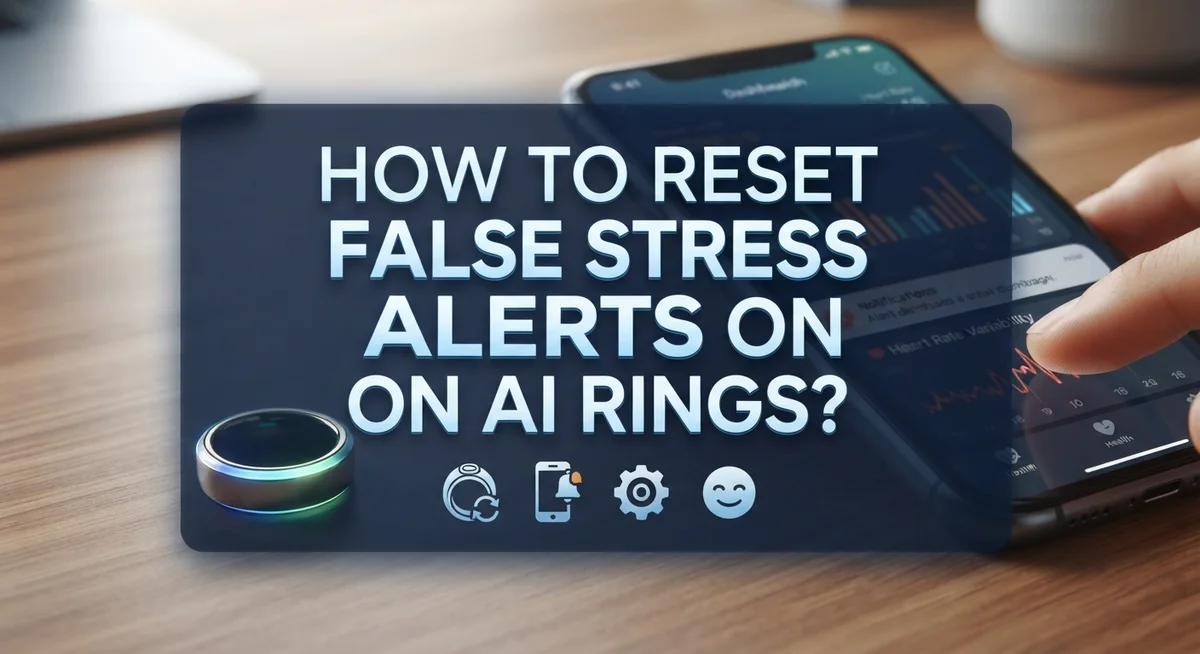
How to Reset False Stress Alerts on AI Rings?
Your AI ring buzzes with a stress alert, but you feel calm and relaxed. Sound familiar?
This happens more often than you think. Smart rings like Oura and RingConn track your body signals to detect stress. But sometimes, they get it wrong.
False stress alerts can be annoying. They can also make you doubt your ring’s accuracy. The tricky part is that these errors do not just disappear on their own.
So what can you actually do about it?
In this guide, we will walk you through simple steps to handle false stress alerts. You will learn how to back up your data safely. We will also explain why a factory reset has limits.
In a Nutshell
- False stress alerts happen when your AI ring misreads your body’s signals. Your heart rate or temperature data may confuse the algorithm.
- A factory reset clears your settings. But it does not erase old, corrupted data patterns stored in the app.
- Always charge your ring fully before making changes. Low battery can cause inaccurate readings and trigger more false alerts.
- Backup your data first. Open your app, go to Settings, then Account, and choose “Back up all data” to save your history.
- Understand that stress notifications still serve a purpose. They can remind you to breathe, rest, or slow down, even if the reading is slightly off.
- Do not rely only on old data for health decisions. Corrupted patterns can skew accuracy over time.
- There is no simple button to erase bad data. You must manage expectations and use alerts as gentle nudges, not exact science.
- Small daily habits, like proper wear and consistent charging, help improve your ring’s accuracy over time.
Why AI Rings Generate False Stress Alerts
AI rings detect stress by measuring your heart rate variability, skin temperature, and movement patterns. These sensors pick up tiny changes in your body throughout the day. When your ring notices unusual patterns, it sends you a stress alert.
False stress alerts happen because these sensors sometimes misread normal body signals. A tight ring fit can squeeze your wrist and trigger false heart rate spikes. Physical exercise, caffeine intake, or even a cold room can make your sensors think you are stressed when you are not.
Sensor positioning matters more than you realize. If your ring sits too loose, it loses contact with your skin. If it sits too tight, it creates artificial pressure readings. Your ring needs consistent, comfortable contact to read accurately.
Temperature changes also confuse your ring’s stress detection. Moving from a warm room to a cold one can cause sudden readings that mimic stress responses. Your body adjusts naturally, but your ring may flag this as a stress event.
Cumulative data corruption is a real problem. Once your ring records incorrect stress patterns, these bad readings stack up in your historical data. Your ring’s algorithm learns from past data, so false alerts can trigger more false alerts over time. This creates a cycle that is hard to break.
Sweat and moisture on your skin affect sensor accuracy too. After exercise or during humid weather, your ring may struggle to get clean readings. Dust and dirt buildup on the sensor can also cause problems.
Sleep deprivation and irregular wearing schedules confuse your ring’s stress baseline. Your ring learns your normal patterns. When you wear it inconsistently or sleep poorly, it cannot establish reliable baseline data. This makes distinguishing real stress from normal variation much harder.
Understanding these causes helps you recognize when alerts are likely false and when they might signal genuine stress responses.
What Happens to Your Data During a Factory Reset
When you perform a factory reset on your AI ring, the device wipes your current settings and app preferences. However, this process does not erase the corrupted historical data stored in your ring’s memory.
Think of it this way: a factory reset is like clearing your phone’s settings, but your old photos and files remain. Your ring’s sensor stores biometric readings over weeks or months. These accumulated readings include the false stress alerts and inaccurate patterns your ring recorded.
Here’s what actually happens during a factory reset:
Your ring returns to default settings. All personal preferences disappear. The app disconnects from your device. You must re-pair everything from scratch.
But here’s the catch: the underlying data stays put. Your ring’s internal storage still holds those bad stress readings. When you reconnect your ring to the app after the reset, it may sync this corrupted historical data again. This means false alert patterns can resume.
This is why many users feel frustrated. They reset their ring expecting fresh accuracy, only to see the same false alerts return within days.
The good news? A factory reset does help in one important way. It clears temporary glitches that cause occasional false alerts. If your ring misfires once or twice, a reset might fix that. But if you experience consistent false stress notifications over weeks, the problem runs deeper into your accumulated data.
Before you reset, always back up your data through your ring’s app settings. This protects your legitimate health records. Then perform the reset. Monitor your ring for the next week. If false alerts stop, the reset worked. If they return, your ring’s sensor may need recalibration or inspection for positioning issues.
Understanding this difference helps you make smarter decisions about managing your ring’s accuracy long term.
Step-by-Step: Backing Up and Resetting Your AI Ring
Before you make any changes to your AI ring, backing up your data protects your health history. This process takes just a few minutes and saves you from losing important information.
Start by charging your ring completely. A fully charged device ensures the backup and reset process completes without interruption. Plug your ring into its charging dock and wait until you see the full battery indicator in your app.
Open your ring’s companion app on your phone. Look for the menu icon, usually three horizontal lines in the top corner. Tap it to reveal your options.
Navigate to Settings, then find your Account section. Look for a “Back up all data” or similar option. This button creates a copy of your stress readings, sleep data, and activity history. Wait for the backup to finish before moving forward. Your app will show a confirmation message once it’s complete.
If you decide a factory reset will help, stay in the Settings menu. Find the option labeled “Factory Reset” or “Restore to Default Settings.” Confirm your choice when the app asks for verification.
Here’s what to expect after resetting: Your ring returns to its original settings. Your app preferences disappear. However, your historical data remains stored in your account.
After the reset, your ring won’t automatically remember your stress patterns or sleep baselines. This means the first few days of wear feel like starting fresh. Your ring needs time to recalibrate and learn your normal patterns again.
Keep this in mind: A factory reset improves your ring’s performance going forward, but it doesn’t erase old corrupted data from your account history. If false stress alerts continue after resetting, the issue likely stems from sensor positioning or wearing habits rather than software problems.
Understanding the Limits of Resetting False Alerts
A factory reset on your AI ring has real limitations you should understand before trying it. The reset clears your device settings and app preferences, but it doesn’t erase the corrupted data stored in your ring’s memory. This means false stress alerts may continue even after you reset everything.
Here’s why this matters. Your ring’s sensors collect biometric information constantly. When those sensors misread your body signals, they create incorrect stress patterns. These bad readings accumulate over time and become part of your ring’s historical database. A factory reset won’t touch this corrupted information.
Think of it this way: resetting your ring is like restarting your computer. Your programs close and settings return to default, but your old files remain on the hard drive. Your ring works the same way.
The actual benefit of a reset is more limited than you might expect. It does help your ring start fresh with new baseline measurements. After resetting, your ring will begin learning your stress patterns from scratch. This fresh start can sometimes reduce false alerts if the original baseline was severely corrupted.
However, the underlying problem persists. Your ring still relies on the same sensors and algorithms. If those sensors aren’t positioned correctly on your finger or if you wear your ring loosely, false alerts will happen again.
The most honest answer? A factory reset alone won’t solve persistent false stress alerts. It’s one tool in a larger troubleshooting process, but it has clear boundaries. You might see temporary improvement, but long term success depends on addressing the root causes like sensor positioning, wearing consistency, and data accuracy issues.
Before resetting, always back up your data. This protects your health history in case you want to review past trends later.
Tips to Improve Stress Reading Accuracy Going Forward
Your AI ring learns from daily wear patterns, heart rate data, and sleep cycles. When stress readings stay inaccurate even after a reset, the problem often lies in how your ring collects new information. Here’s how to help your device read stress more accurately moving forward.
Wear your ring consistently every single day. Irregular wearing schedules confuse your ring’s baseline measurements. Your device needs at least 2 to 3 weeks of continuous data to establish reliable stress patterns. Remove it only for charging, then put it back on immediately.
Keep your ring clean and dry. Dirt, sweat buildup, and moisture create false sensor readings. Rinse your ring weekly with fresh water and dry it completely before wearing. A clean device sends accurate signals to your phone app.
Position your ring correctly on your finger. The sensor sits on the underside of the band. Your ring should fit snugly but comfortably, with the sensor flush against your skin. Too loose or too tight both produce unreliable stress data.
Avoid wearing your ring during intense workouts or extreme temperature changes. These situations trigger real physiological responses that your ring may misinterpret as stress. Remove it during vigorous exercise, then reattach it once you’ve cooled down.
Check your app settings regularly. Some rings allow you to adjust sensitivity levels for stress notifications. Lower sensitivity reduces false alerts, while higher sensitivity catches genuine stress spikes.
Update your ring’s firmware when new versions release. Software updates often improve sensor accuracy and fix known bugs. Check your app’s settings menu for available updates.
Finally, give your ring time to recalibrate. After a reset, expect 3 to 4 weeks before stress readings stabilize. Your device needs fresh data to build accurate baselines. During this period, wear it consistently and maintain proper positioning.
Common Mistakes When Dealing with False Stress Alerts
Many people make the same errors when trying to fix false stress alerts on their AI rings. Understanding these mistakes helps you avoid frustration and get better results.
The biggest mistake is assuming your ring’s data is always accurate. Your ring collects biometric information, but this data can become corrupted over time. Even after you reset your ring, the underlying problem often remains. People frequently trust old stress readings when making health decisions, which can lead them down the wrong path.
Another common error is not wearing your ring consistently. Your ring needs regular contact with your skin to establish proper baseline measurements. If you take it off frequently or wear it irregularly, your ring can’t learn your normal stress patterns. This creates confusion in the system and triggers more false alerts.
Many users also ignore proper ring placement and maintenance. Your ring’s sensor sits on the underside of the band. If you wear it upside down or don’t keep it clean, readings become unreliable. Dirt, sweat, and moisture interfere with sensor performance.
People often expect too much from a factory reset. A reset won’t fix data accuracy issues that already exist in your system. Some users reset their rings multiple times, hoping each reset will solve the problem. This wastes time and doesn’t address the real issue.
Finally, many people don’t update their ring’s firmware regularly. Software updates often improve how your ring detects stress patterns. Skipping these updates means you miss accuracy improvements and bug fixes.
The key is managing expectations. Your ring is a helpful tool, but it’s not perfect. Combining consistent wear, proper maintenance, and realistic expectations gives you the best chance of reducing false alerts over time.
Troubleshooting Persistent Stress Alert Issues
When your AI ring keeps sending false stress alerts, you need a practical approach to troubleshoot the problem. Start by checking your ring’s battery level first. A low battery can cause unreliable sensor readings and trigger incorrect notifications.
Next, open your ring’s app and navigate to the settings menu. Look for your account section and select the backup option. This step protects your data before you make any changes. Backing up ensures you won’t lose important health information during troubleshooting.
After backing up, examine your ring’s physical condition. Remove any dirt, sweat, or moisture from the sensor area. Wipe the underside of the band gently with a soft, dry cloth. A dirty sensor cannot read your biometric data accurately and produces false alerts.
Check your finger placement too. Your ring should sit snugly on your finger with the sensor flush against your skin. If the ring is too loose or too tight, it cannot detect your stress levels properly. Adjust the fit and wear it consistently for several days to see if alerts improve.
Look for firmware updates in your app settings. Developers release updates to fix sensor bugs and improve accuracy. Installing the latest version often resolves false alert patterns that older software creates.
If false alerts continue after these steps, consider logging your stress readings manually. Note when alerts occur and what you were actually doing at that moment. This information helps you identify whether the ring misreads specific activities or times of day.
Finally, give your ring a full charging cycle. Let the battery drain completely, then charge it to 100 percent. This process can reset the device’s sensor calibration and sometimes eliminates persistent false alerts.
These troubleshooting steps address the most common causes of false stress notifications without requiring a factory reset.
Final Thoughts
False stress alerts on AI rings can feel frustrating. But they don’t mean your device is broken.
Small adjustments often fix the problem. Charging your ring fully, backing up your data, and checking firmware updates all help.
A factory reset has limits. It won’t clear corrupted historical data. Your ring’s past readings may still influence future stress calculations.
This is a known issue with current AI ring technology. No app offers a way to fully wipe old data patterns yet.
Understanding this limitation helps you set realistic expectations. Your ring is a helpful tool, not a perfect diagnostic device.
Stress notifications still serve a purpose. They remind you to pause, breathe, and check in with your body.
Even an imperfect alert can prompt a good habit. Taking a short break or doing breathing exercises never hurts.
Consistency matters more than perfection. Wearing your ring daily, keeping it clean, and updating firmware regularly improve accuracy over time.
If false alerts persist, manual tracking can help. Compare your ring’s readings with how you actually feel.
This gives you a clearer picture than relying on the device alone. Your own awareness is a powerful tool too.
Think of your AI ring as a starting point for stress management. It’s not the final word on your health.
Use its alerts as gentle nudges. Combine them with your own judgment and daily habits.
Over time, your ring’s accuracy may improve with software updates. Manufacturers continue refining their algorithms.
Until then, patience and consistency are your best allies. Small daily habits build better long term data.
The goal isn’t a perfect ring. The goal is better awareness of your stress levels every day.
Keep wearing your ring, keep checking your app, and keep listening to your body. That combination works best.
Frequently Asked Questions
Why does my AI ring keep sending false stress alerts?
False stress alerts happen because your ring reads biometric data like heart rate and heart rate variability. Sometimes these readings get inaccurate due to poor finger placement, inconsistent wear, or data corruption over time. Your ring might also misinterpret normal activity as stress.
The issue is that incorrect readings pile up in your ring’s memory. Even after a factory reset, this corrupted data stays there. This means your ring continues to send false alerts based on faulty information.
Can I completely clear false stress alerts with a factory reset?
A factory reset will wipe your ring’s settings and some data, but it won’t solve the core problem. Your ring’s historical data contains the corrupted readings that cause false alerts. These corrupted records remain even after you reset everything.
Think of it this way: a factory reset is like restarting your computer, but the bad files stay on the hard drive. You get a fresh start with settings, but the faulty stress patterns remain in your device’s memory.
What should I do before attempting any reset?
Always back up your data first. Open your ring’s app, go to the menu, find Settings, then Account, and select the backup option. This protects your information before making any changes.
After backing up, check your ring’s physical condition. Look for dirt, damage, or wear on the sensor area. Clean your ring gently and make sure you’re wearing it on the correct finger with proper placement.
Will stress notifications still help even if they’re sometimes inaccurate?
Yes. Real time alerts can still prompt you to take action, even if they’re not perfect. When you get a stress alert, you can pause and do a breathing exercise or take a short break.
Imperfect alerts often encourage good habits. The key is not relying on them as your only health measure. Combine alerts with manual tracking and your own body awareness for better results.

Hi, I’m Simmy — the founder and voice behind AI Gadgets Insight. I’m a tech enthusiast who loves exploring the latest AI gadgets, smart devices, and innovative tech products. I started this blog to help people make smarter tech choices with honest reviews, easy-to-follow comparisons, and practical buying guides.