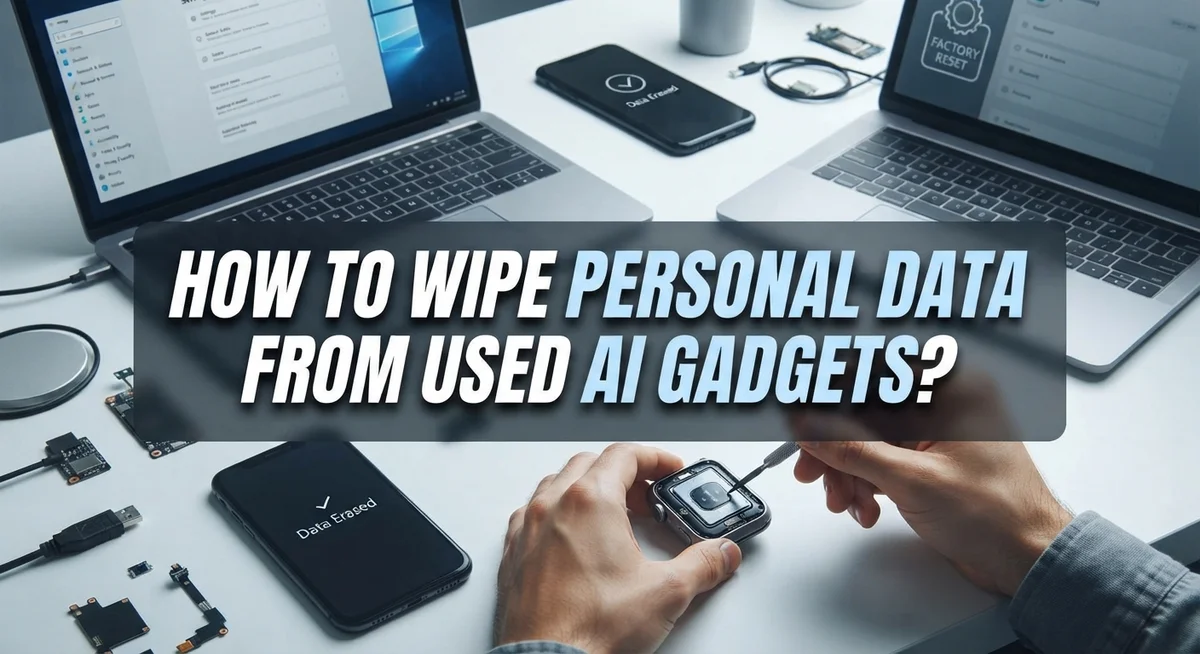
How to Wipe Personal Data From Used AI Gadgets?
Your smart speaker, AI camera, or voice assistant knows more about you than you think. It remembers your voice, your habits, and even your daily routines.
Before you sell, donate, or recycle an old AI gadget, you need to clear that data. Otherwise, a stranger could access your personal information.
Simple deletion is not enough. Many people press delete and assume their files are gone forever. In reality, that data often stays hidden on the device, ready for someone else to recover.
This guide walks you through the right way to wipe personal data from used AI gadgets. You will learn how to back up your files safely. You will also discover how to sign out of every account and app.
By the end, you will know exactly how to protect your privacy. Your next gadget sale or trade in will feel safe and stress free.
In a Nutshell
- Back up first. Save your photos, contacts, and files to a computer or USB drive before you wipe anything.
- Sign out everywhere. Log out of every account and app linked to your gadget. This step stops others from accessing your data later.
- Pull out physical media. Remove SIM cards and memory cards. These often get skipped, but they can hold personal data too.
- Choose the right wipe method. Use a factory reset for phones or a secure software wipe for other devices. Simple deletion just does not cut it.
- Overwrite the data. Tools like Secure Erase or DBAN write zeros or random characters over your old files. This makes recovery nearly impossible.
- Check your account dashboards. Some AI tools may still access your info even after you sell the device. Review privacy settings in places like your Microsoft account to be safe.
Why AI Gadgets Pose Unique Privacy Risks
AI gadgets create privacy challenges that standard devices do not. These tools constantly learn from your behavior, preferences, and personal habits. They store this information across multiple locations: on the device itself, in cloud accounts, and sometimes on third party servers.
Voice assistants and smart cameras collect sensitive data daily. They record conversations, capture images, and track your routines. This information builds detailed profiles about who you are and how you live. When you sell or donate these devices, that data remains accessible to new owners unless you remove it properly.
The biggest risk is account linkage. Your AI gadget connects to email accounts, social media profiles, and subscription services. A new owner can potentially access your photos, messages, and personal settings if accounts stay active on the device. They might also trigger purchases or change your privacy settings remotely.
Physical storage adds another layer of concern. Memory cards and SIM cards hold encrypted data that standard deletion cannot erase. Hackers can recover this information with specialized tools, even after you think you deleted everything.
Cloud synchronization creates hidden vulnerabilities too. Many AI devices automatically back up your data to manufacturer servers. Simply wiping the physical device does not remove information stored in the cloud. New owners might regain access to your backed up files if your account remains linked.
Third party integrations multiply the problem. Your AI gadget may connect to home automation systems, fitness apps, or smart home networks. Each connection creates another access point for your personal information. Removing data from just the device leaves these connections intact and potentially exploitable.
Before You Start: Backing Up Your Important Data
Before you erase anything, stop and back up your important data first. This step saves you from losing photos, contacts, documents, and other files you actually want to keep.
Start by identifying what matters to you. Look through your AI gadget and decide which files you need. Photos from family events, contact information, work documents, and personal notes are common items people want to preserve. Make a quick mental list so you do not miss anything.
Connect your device to a computer using a USB cable. Most AI gadgets allow you to copy files directly to your computer’s hard drive. Create a new folder on your desktop labeled with the device name and today’s date. This keeps your backup organized and easy to find later.
USB thumb drives work great for backups too. They are portable, affordable, and reliable. Simply plug in the drive, then drag and drop your files onto it. This gives you a second copy stored separately from your main computer.
Cloud storage services also work, but use caution here. Some AI devices already sync data to cloud accounts automatically. If you use the same cloud account for backup, you might copy data that is already stored there. Read your cloud service’s terms to understand what happens to your files.
Take your time with this step. Rushing through the backup process means you might forget important files. Once you start the wiping process, recovery becomes much harder. Double check your backup by opening a few files to confirm they copied correctly.
After you verify your backup is complete and accessible, you are ready to move forward with the actual data removal process.
Step-by-Step Guide to Wiping Personal Data
Now that you’ve backed up your files, it’s time to erase everything. Follow these steps in order to protect your privacy completely.
Start by signing out of all accounts. Open your email, social media apps, and any services linked to your AI device. Go to each app’s settings and select “Sign Out” or “Log Out.” This disconnects your personal information from the device before you wipe it.
Remove physical storage next. Take out any SIM cards, memory cards, or microSD cards from your gadget. These small cards hold data separately from the main device. Even after a factory reset, data on these cards remains intact. Keep them in a safe place or destroy them if you don’t need them anymore.
Perform a factory reset. For phones and tablets, go to Settings, find “Reset” or “Erase All Data,” and confirm. This removes most software and personal files. The process usually takes 15 to 30 minutes.
Use secure erasure tools for computers. If you’re wiping a laptop or desktop, a factory reset isn’t enough. Download free secure erase software that overwrites your data multiple times with random characters or zeros. This makes recovery nearly impossible.
Verify the wipe is complete. After the process finishes, turn off your device and turn it back on. You should see a clean setup screen with no personal information visible.
Check your account dashboards one final time. Log into your email or manufacturer account from another device. Remove the gadget from your connected devices list. This ensures no hidden connections remain between you and the used AI device.
Managing Cloud Accounts and AI Service Permissions
Cloud accounts and AI service permissions are major data storage points. Your AI gadget syncs information to manufacturer servers automatically. Email, photos, voice recordings, and browsing history live in these accounts.
Sign out of every account before wiping your device. Open your email first. Go to Settings and select “Sign Out” or “Log Out.” Do this for every social media app, smart home service, and cloud storage platform. Your AI assistant may have a companion app on your phone. Sign out there too.
Check your account settings on the manufacturer’s website. Log into your account from a computer. Look for “Connected Devices” or “Active Sessions.” Remove your old device from the list. This stops the company from accessing your gadget remotely after you sell it.
Review permission settings in each service. Many AI devices have permission dashboards. Go through microphone access, camera access, and location tracking. Disable permissions you don’t need anymore. Some services let you delete your activity history. Find “Delete Activity” or “Clear History” options and use them.
Remove two factor authentication codes linked to your device. Go to your account security settings. Delete backup phone numbers or authenticator apps associated with the old gadget. This prevents someone else from accessing your accounts through the device.
Revoke third party app access. Many AI services connect to other apps. Your smart home system might link to your calendar or weather service. Find the “Connected Apps” section and disconnect everything.
After completing these steps, your cloud accounts are truly separated from the device. The gadget no longer holds active connections to your personal data. This protects your privacy significantly.
Software Tools for Secure Data Erasure
Software tools give you powerful ways to permanently erase data from your AI gadgets. These programs overwrite your information multiple times, making recovery nearly impossible.
Secure erase utilities work by replacing your data with random characters or zeros. This process repeats several times across each data block on your device. Standard deletion leaves traces behind. Secure erasure removes them completely.
For computers and laptops, dedicated erasure software is your best choice. These tools access your hard drive at a deeper level than factory resets. They overwrite free space where deleted files hide. This prevents anyone from recovering your personal information later.
DBAN (Darik’s Boot and Nuke) is a popular open source option. It runs independently from your operating system. This means it can wipe drives that your computer won’t let you access normally. The program offers multiple overwriting methods depending on your security needs.
Many manufacturers include their own erasure tools. Check your device’s support website for official software. These tools are optimized for your specific gadget model. They often work faster than generic programs.
Before using any erasure tool, back up your files first. Connect your device to a computer via USB cable. Launch the software and select your device. Choose your overwrite method and start the process.
The erasure time depends on your storage size. Larger drives take longer to complete. Avoid interrupting the process. Let it finish completely.
Verify the wipe worked by trying to recover files afterward. If recovery software finds nothing, your data is truly gone. This confirmation step gives you peace of mind before selling or recycling your AI device.
Common Mistakes That Leave Data Recoverable
Most people make critical errors when wiping AI gadgets. These mistakes leave your personal data vulnerable to recovery.
The biggest mistake is skipping account sign outs. Many users perform a factory reset without logging out first. Your device may still connect to cloud services after the wipe. Hackers can access your photos, emails, and messages through these active connections. Always sign out of every account before you erase anything.
Leaving physical storage media behind is another common error. People remove SIM cards but forget microSD cards or USB drives. These cards contain unencrypted personal files. A buyer can simply insert the card into another device and access everything. Check all ports and slots twice before you hand over your gadget.
Standard deletion is dangerously insufficient. Pressing “delete” only removes file references. The actual data stays on your storage drive. Recovery software can reconstruct deleted files within minutes. Factory resets sometimes leave data partially intact too. You need secure erasure tools that overwrite data blocks multiple times.
Trusting only a factory reset is risky. Factory resets work for basic privacy, but they don’t guarantee complete removal. Some system files remain recoverable. Combine factory resets with dedicated erasure software for better results.
Failing to verify the wipe is complete leaves you guessing. After you finish the process, test whether files are truly gone. Try opening old files or use recovery software yourself. If nothing appears, your data is safely erased.
One final mistake: not backing up before you start. People panic mid wipe when they realize they lost important documents. Back up everything to an external drive first. Then you can wipe safely without regrets.
Troubleshooting: When a Factory Reset Isn’t Enough
Sometimes a factory reset alone doesn’t fully protect your privacy. Your personal data can hide in places the standard reset misses, leaving sensitive information vulnerable to recovery.
The core problem is that factory resets only remove surface level information. They don’t overwrite the actual data blocks on your storage. Someone with technical skills can still recover your files using specialized recovery tools.
Physical storage media represents another major gap. Your device might have hidden memory cards or SIM cards tucked away. Factory resets don’t touch these cards at all. You must manually locate and remove every piece of removable storage before considering the device truly wiped.
Secure overwriting is your solution. This method replaces your data with random characters or zeros multiple times. Each pass makes recovery exponentially harder. After several passes, your original files become essentially impossible to retrieve.
For computers and laptops, dedicated erasure software works best. These tools write over your entire hard drive systematically. They work faster than manual methods and provide verification reports showing the wipe succeeded.
Even after using erasure software, verify the results. Try using file recovery tools yourself to confirm nothing remains. If recovery tools find nothing, your device is truly clean.
Test your backup first before wiping anything. Make sure your important files are safely stored elsewhere. This prevents accidentally losing photos, documents, or other irreplaceable content.
The combination approach works best: sign out of accounts, remove all storage media, use secure erasure software, and verify the results. This three layer strategy catches what factory resets miss and ensures your personal information stays private.
Verifying Your Device Is Completely Clean
After you wipe your AI gadget, verification proves the job actually worked. Most people skip this step and assume their data is gone. That assumption can be dangerous.
Start by attempting file recovery on the device itself. Use free recovery software to scan your storage. If the scan finds nothing, that’s a good sign. If files appear, your wipe wasn’t complete. Run the erasure process again.
Check your cloud accounts next. Sign into any accounts linked to the device. Look for synced files, photos, or documents. Delete anything stored in the cloud. Some AI gadgets automatically upload data to manufacturer servers. Visit your account settings and remove all connected devices. This step prevents remote access to your information.
Test your backups separately before declaring success. Connect your backup drive to a different computer. Verify your important files are actually there. A failed backup means you lost data for nothing.
For physical verification, inspect the device itself. Remove the storage media one more time. Look for any hidden compartments or secondary memory cards. Some AI gadgets hide storage in unexpected places.
Run a second erasure pass if you want extra confidence. One thorough wipe usually works, but repeating the process adds security. This takes longer but eliminates doubt.
Finally, document what you did. Write down the date you wiped the device, which software you used, and what recovery tests you ran. This record proves you took proper steps if questions arise later.
Complete verification takes time but protects you completely. Skipping this step means selling a device without knowing if your data is truly gone.
Final Thoughts
Wiping personal data from your AI gadgets does not have to feel overwhelming. Once you know the steps, the process becomes simple and quick.
Start with a plan. Back up your files first. Sign out of every account. Remove SIM cards and memory cards. Then move on to a secure wipe.
Factory resets are a good start, but they are not the finish line. Secure software overwrite tools give you real protection. They replace your old data with random characters, making recovery nearly impossible.
Think about the accounts linked to your device too. Many AI gadgets connect to cloud services and apps. Even after wiping the device, check your account dashboards. Remove device access and update your privacy settings there as well.
Physical media matters just as much as software. A leftover memory card or SIM card can expose your personal photos, messages, or contacts. Always double check every slot before you hand over the device.
Verification is the final piece of this puzzle. Do not assume the wipe worked. Test it. Try recovering files yourself. If you cannot find anything, your method worked well.
Selling or donating an AI gadget should feel safe, not stressful. When you follow each step in order, your personal information stays protected. You avoid leaving traces behind for strangers to find.
Data privacy is not something to rush. Take your time with each step. A few extra minutes now can save you from identity theft or privacy issues later.
Your AI gadget holds pieces of your daily life. Treat the wiping process with care, and you will pass on your device with total peace of mind.
Frequently Asked Questions
Can AI devices still access my data after I sell them?
Yes, they can. If you don’t sign out of your accounts before selling or donating, the new owner may access your personal information. AI gadgets often stay connected to cloud services, email accounts, and third party applications. Always sign out completely from every account before handing over the device. Check your account settings on platforms like Microsoft, Google, or other services to confirm you’ve removed access from that specific device.
What’s the difference between a factory reset and secure data erasure?
A factory reset removes visible files and returns the device to its original state. However, the data still exists on the storage drive underneath. Secure erasure software overwrites that hidden data with random characters or zeros multiple times, making recovery nearly impossible. Factory resets are a good first step, but they should not be your only step. Use erasure software afterward for real protection.
Do I need to remove physical storage cards before wiping?
Yes, absolutely. Memory cards and SIM cards store their own data separately from your main device. A factory reset or software wipe won’t touch them. Remove all physical media before selling your gadget. Check for SD cards, microSD cards, and SIM cards in every slot. Wipe these cards using the same secure erasure methods, or destroy them physically if they contain sensitive information.
How do I know the data is actually gone?
Test file recovery software on the device after wiping. If recovery tools find nothing, your data is likely secure. Check your cloud accounts to confirm you’ve signed out everywhere. Verify your backups separately before declaring the device clean. Taking time to verify saves you from privacy problems later.

Hi, I’m Simmy — the founder and voice behind AI Gadgets Insight. I’m a tech enthusiast who loves exploring the latest AI gadgets, smart devices, and innovative tech products. I started this blog to help people make smarter tech choices with honest reviews, easy-to-follow comparisons, and practical buying guides.