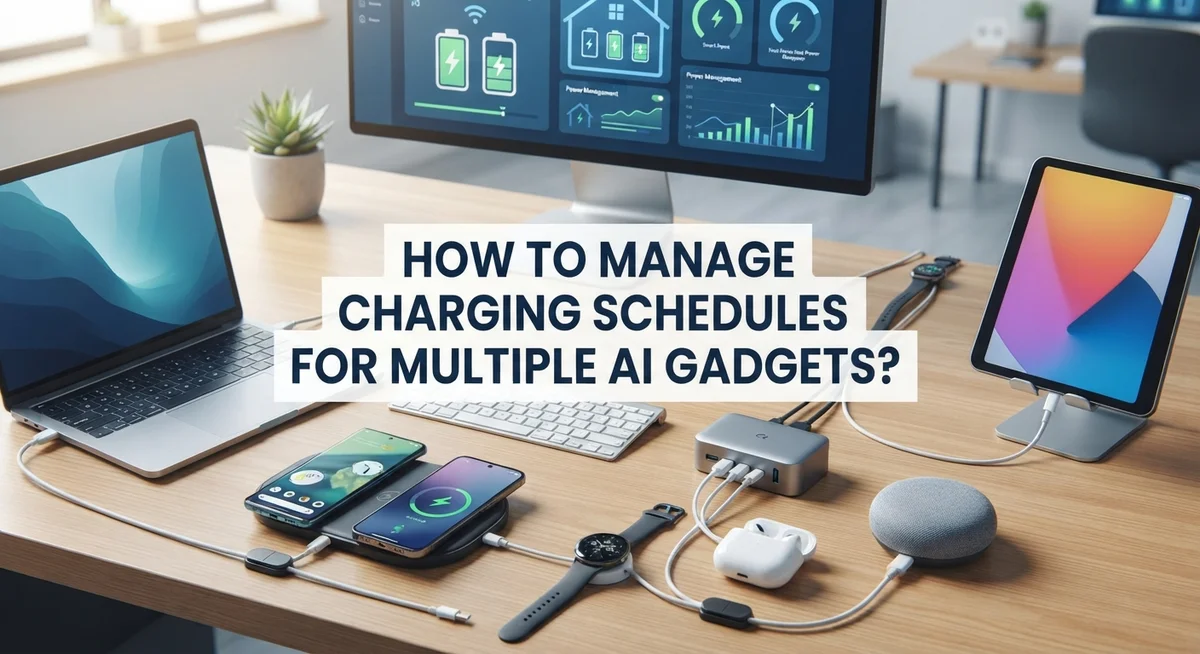
How to Manage Charging Schedules for Multiple AI Gadgets?
Do you own more than one AI gadget? Maybe a smart speaker, a robot vacuum, and a pair of wireless earbuds all sit on your counter at once.
Charging them all together can feel like a small headache. Cables pile up. Devices compete for the same outlet. Your power bill creeps up too.
The good news is you can fix this with a smart charging schedule. Automated systems let you set specific times for each gadget to charge. This means less guesswork and lower energy costs.
In this guide, you will learn how to build a charging routine that works for your whole household. We will cover how to access scheduling settings and set finish-by times for each device.
By the end, you will know exactly how to keep every AI gadget charged, ready, and cost-effective without any manual plug juggling.
In a Nutshell
- Use automated scheduling tools. Set specific charge times for each device instead of manually swapping plugs every day.
- Charge during off peak hours. Most utility companies offer lower rates between 9 PM and 6 AM. Schedule your devices within this window.
- Alternate your charging patterns. Do not charge every gadget at once. Stagger start times so devices take turns drawing power.
- Set finish by times, not just start times. This helps devices finish charging before you need them, without pulling power during peak hours.
- Mix fast and slow chargers. This naturally spreads out charging times and reduces strain on your home circuit.
- Check for day based scheduling. Many apps let you set different routines for weekdays and weekends, so your schedule fits your real life.
Why Charging Schedule Management Matters for Multiple Devices
Charging multiple AI gadgets at the same time strains your home’s electrical system. Your circuit breaker works harder. Your electricity bill climbs. Your devices charge slower because power is divided among them.
Managing charging schedules prevents these problems. When you stagger when each device charges, you reduce the total power draw on your home at any single moment. Your circuit stays stable. Your devices charge faster individually.
Off peak charging saves real money. Utility companies charge less during certain hours, usually between 9 PM and 6 AM. If you charge during these windows instead of during peak hours, your electricity costs drop noticeably. A smart speaker, robot vacuum, and wireless earbuds all charged during off peak hours add up to meaningful savings over months.
Simultaneous charging creates another hidden cost. When multiple devices pull power at once, your chargers work inefficiently. Heat builds up. Battery health degrades faster. Devices that should last three years might fail in two.
Automated scheduling eliminates manual plug juggling. Instead of remembering which device to charge when, your system handles it automatically. You set each device to charge at different times. The system follows your rules every single day.
Alternating patterns also protect your home’s infrastructure. Electricians recommend spreading electrical loads throughout the day and night. This prevents voltage fluctuations. It extends the life of your home’s wiring and breaker panel.
The real benefit is peace of mind. You stop worrying about overloaded circuits. You stop paying peak rates for charging. Your devices stay healthier longer. Your home runs more efficiently. Simple scheduling makes all this happen without any extra effort on your part.
Understanding Off-Peak Windows and Utility Rate Plans
Understanding off peak windows starts with knowing when your utility company charges less for electricity. Most regions offer lower rates between 9 PM and 6 AM. This window varies slightly depending on where you live, so check your utility bill or online account.
Time of use plans show you exactly when rates change. Your electricity costs more during peak hours, typically 6 PM to 9 PM when most people cook dinner and turn on lights. Rates drop significantly after 9 PM and stay low until early morning. Some plans have three tiers: peak, partial peak, and off peak.
Find your specific off peak window by reviewing your utility statement. Most companies list rate schedules clearly. You can also call your provider or check their website for a rate chart. This information is free and essential for smart scheduling.
Different days have different peak times. Weekends sometimes offer longer off peak windows than weekdays. Summer months may have different schedules than winter. Your utility company publishes these variations annually, so plan accordingly.
Align your charging schedule with these off peak periods. If your off peak window runs from 10 PM to 6 AM, set your devices to start charging after 9 PM. This simple shift can reduce your charging costs by 30 to 50 percent.
Avoid the trap of starting charges at 9 PM if your off peak window begins at 10 PM. Even a one hour difference matters on your bill. Set finish times instead of just start times. This ensures devices complete charging during low rate hours, not when rates jump back up in the morning.
Step-by-Step: Setting Up Schedules in Your App
Open your app and locate the settings or scheduling tab. This is usually found in the main menu or your account preferences. The interface shows you all connected devices and their current battery levels.
Select the first device you want to schedule. Click on it to open its charging options. You’ll see fields for start time and finish time. Enter when you want charging to begin and when it should complete.
Set your finish time based on when you actually need the device. If you use a gadget every morning, set it to finish by 7 AM. This ensures power is ready without wasting energy overnight.
Move to the next device and repeat the process. Stagger each device’s schedule so they don’t charge simultaneously. For example, set Device 1 to charge from 10 PM to 6 AM, then Device 2 from 11 PM to 7 AM. This small offset reduces electrical load on your home.
Most apps let you create up to 6 separate schedules per device. Use this feature to set different patterns for weekdays versus weekends. Your weekend routine might differ from your work week, so adjust accordingly.
Review your utility’s off peak hours before finalizing times. Align your schedules within those windows. If rates drop at 10 PM, don’t start charging at 9 PM.
Save each schedule. The app confirms it’s active with a checkmark or notification. Your devices now charge automatically without manual intervention. Check back weekly to ensure schedules still match your routine and utility rates haven’t changed.
Building Alternating and Staggered Charging Patterns
Creating alternating and staggered charging patterns prevents your home’s electrical system from getting overwhelmed. This approach spreads power consumption across different time windows instead of forcing all devices to charge simultaneously.
Start by mapping out when you actually need each device ready. If you have three AI gadgets, identify which one you use first in the morning, which one you use midday, and which one you use in the evening. This natural usage pattern becomes your scheduling foundation.
Next, work backward from those usage times. If your first device needs a full charge by 7 AM, set its finish time to 6:45 AM. Your second device might finish at 10 AM. Your third device could finish at 4 PM. This creates natural gaps between charging windows.
Align these finish times with your utility’s off peak rates. Most utility companies offer lower rates between 9 PM and 6 AM. Schedule your first device to finish at 6:45 AM, which means it starts charging around 2 AM. Your second device starts around 5 AM and finishes at 10 AM. Your third device then charges during afternoon or early evening hours if rates permit.
Use different charger speeds to reinforce this staggering. Assign your fastest charger to the device with the tightest deadline. Use slower chargers for devices with more flexible timing. This combination naturally spreads out when each device reaches full battery.
Check your app’s scheduling interface to confirm it supports multiple independent schedules. Most systems allow you to create separate charging windows for each device. Set each one individually rather than relying on one master schedule.
Test your pattern for one full week before considering it final. Adjust finish times if devices aren’t ready when needed or if you notice power bill changes.
Adapting Schedules for Weekdays, Weekends, and Multi-Driver Households
Multi-driver households face unique charging challenges. Multiple people need multiple devices ready at different times. Your scheduling strategy must account for these varying needs and usage patterns.
Start by mapping out each driver’s schedule. Write down when each person needs their device fully charged. One driver might leave at 7 AM while another departs at 9 AM. This information becomes your foundation for building effective schedules.
Stagger your charging windows based on actual departure times. If one person leaves early, schedule their device to finish charging by 6:30 AM. For the later driver, set a finish time of 8:45 AM. This prevents both devices from charging simultaneously during peak hours.
Weekday and weekend schedules differ significantly. During weekdays, people follow consistent routines. Weekend schedules often shift later since drivers don’t need to leave as early. Most scheduling apps let you create separate patterns for different days of the week.
Use your app’s multiple schedule slots to your advantage. You can configure different schedules for each driver and each day type. Set weekday schedules to align with early morning departures. Adjust weekend schedules to reflect later wake up times and flexible plans.
Communicate with other household members about charging times. Agree on who charges when. This prevents confusion and ensures everyone’s device gets adequate charging time.
Test your staggered pattern for one complete week. Watch your electricity usage and confirm devices finish charging when needed. Adjust finish times if any driver finds their device unprepared. Small tweaks during this trial period prevent frustration later.
This approach keeps everyone mobile while minimizing electrical strain on your home’s circuits.
Best Practices for Balancing Fast and Slow Chargers
Balancing fast and slow chargers requires smart planning. Fast chargers deliver energy quickly but strain your electrical system. Slow chargers work gently over longer periods. Using both types strategically protects your home and saves money.
Start by identifying which devices truly need fast charging. Your morning commute gadget might need speed. Your backup device can charge slowly overnight. This mix prevents simultaneous high power draws that spike your utility bill.
Assign fast chargers to devices with tight deadlines. These gadgets should finish charging during off peak hours right before you need them. Fast chargers work best in the 9 PM to 6 AM window when electricity rates drop. Schedule them to complete just before wake up time.
Reserve slow chargers for devices without urgent timelines. These can start earlier in the evening and run through the night. Slow chargers draw less power, so multiple devices can charge simultaneously without overloading circuits. This approach spreads electrical demand evenly across hours.
Rotate your charger assignments weekly. Don’t always use the same charger for the same device. This rotation prevents wear on any single charger and balances heat generation across your equipment.
Monitor your app’s scheduling interface closely. Most systems let you set different charger speeds for different time slots. Configure fast charging only during your designated off peak window. Switch to slow charging mode for any overflow periods.
Test your mixed charger strategy for one full week. Watch your utility bill for changes. Adjust finish times if devices still aren’t ready when needed. This practical approach keeps everything charged while minimizing electrical strain and cost.
Common Mistakes That Undermine Your Charging Schedule
Many people make simple errors that ruin their charging schedules. These mistakes cost money and waste energy. Understanding what goes wrong helps you avoid these problems.
Starting schedules too early is the biggest mistake. You plan to charge at night, but you set the start time for 6 PM. Your utility company still charges peak rates until 9 PM. Your device charges during expensive hours anyway. Always check your utility’s actual off peak window before setting any schedule.
Manual plug juggling defeats the entire purpose of automation. You unplug one device and plug in another throughout the evening. This wastes your time and creates safety risks. Your scheduling app exists to handle this work automatically. Let it do its job instead of manually switching cables around.
Ignoring your utility plan is another common error. Not all areas have the same off peak hours. Some regions charge lower rates from 9 PM to 6 AM. Others use 10 PM to 7 AM windows. You must know your specific utility’s schedule. Check your bill or contact your provider directly.
Charging multiple devices simultaneously strains your home’s electrical system. You plug in three gadgets at once during what you think is off peak time. Your breaker trips or your system overloads. Stagger your charging times so only one or two devices charge at once.
Forgetting to test your schedule creates real problems later. You set everything up but never actually run it for a full week. When you finally activate it, unexpected conflicts appear. Always test your complete schedule for seven days before trusting it completely.
Troubleshooting Schedule Conflicts and Missed Charges
When your charging schedules conflict or devices miss their charging windows, you need a systematic approach to fix the problem. Start by identifying exactly which devices failed to charge and when. Check your app’s activity log to see what happened during those time slots.
Most schedule conflicts happen because two devices try to charge at the same time. Your home’s electrical system can only handle so much power draw at once. Review your current schedule settings to find overlapping time windows. Look for devices that have the same start or finish times.
Adjust one device’s schedule by at least 30 minutes to create separation. If Device A charges from 9 PM to 11 PM, move Device B to start at 11:30 PM instead. This staggered approach prevents simultaneous power demands and reduces strain on your circuits.
Missed charges often result from finish times that fall during peak hours. Your utility company charges higher rates during peak periods, so your app may skip charging to save money. Change your finish time to land within off peak windows (typically 9 PM through 6 AM). Test this adjustment for three days to confirm it works.
Some apps have schedule priority settings. Use these to rank which devices matter most. High priority devices get scheduled first, while lower priority gadgets fit into remaining time slots.
Document your new schedule on paper or in a notes app. Write down start times, finish times, and which charger each device uses. This reference helps you spot problems faster next time. Check your app weekly to ensure nothing has shifted back to conflicting times. Small adjustments now prevent bigger electrical headaches later.
Final Thoughts
Managing charging schedules for multiple AI gadgets does not need to feel hard. Once you set up the right system, everything runs on its own.
Automation makes the biggest difference. You set your preferences once. Your devices follow the plan every single day without extra effort from you.
Think about your daily routine for a moment. Which devices need power first? Which ones can wait until later? These answers shape your entire schedule.
Off peak charging saves real money over time. Most utility companies offer lower rates between 9 PM and 6 AM. Your schedule should always target these hours.
Remember to avoid simultaneous charging whenever possible. Staggering your devices protects your home’s electrical system. It also keeps your energy costs lower each month.
Mixed charger speeds give you more flexibility. Fast chargers handle urgent devices. Slow chargers work fine for gadgets without tight deadlines.
Testing your schedule matters more than people realize. Run your new setup for a full week before making changes. This helps you spot problems early.
Weekday and weekend patterns often differ for most households. Your AI gadgets might sit unused on weekends. Adjust your schedules to match these natural changes.
Multiple driver or multiple user households need extra planning. Alternating schedules prevent conflicts between people sharing devices. Clear communication helps everyone stay on the same page.
Small adjustments often solve big problems. Moving a start time by just thirty minutes can fix conflicts. Regular check ins keep your system running smoothly.
Your charging routine will improve with practice. Stay patient as you fine tune each schedule. Soon your gadgets will charge efficiently without any daily effort from you.
Frequently Asked Questions
How do I set up schedules for devices that charge at different speeds?
Access your app’s scheduling interface and create separate schedules for each device. Assign fast chargers to devices needing quick top ups and slow chargers to those with longer windows. Stagger the start times so fast charging happens first, then slow charging begins afterward. This prevents power overload and uses your electrical system efficiently.
What if my household has multiple people using AI gadgets?
Create alternating schedules so devices don’t compete for outlets. Person A’s devices charge from 9 PM to 11 PM. Person B’s devices charge from 11 PM to 1 AM. This approach spreads the electrical load and keeps everyone’s gadgets ready. Document each person’s schedule in a shared notes app so nobody charges simultaneously by accident.
Can I use different schedules for weekdays versus weekends?
Yes. Most scheduling apps let you set weekday patterns separate from weekend patterns. Your weekday schedule might charge devices during off peak hours (9 PM to 6 AM) when rates drop. Weekends might follow a different rhythm based on your household’s actual routine. Check your app’s settings to see if it supports day specific scheduling.
What time windows give me the best cost savings?
Contact your utility company to learn your specific off peak hours. Most offer lower rates between 9 PM and 6 AM, but some regions differ. Align your charging schedules with these windows to maximize savings. Avoid starting any charges at 6 PM or later if peak rates apply until 9 PM in your area.
How many schedules can I create per device?
Most apps allow up to 6 additional schedules per device beyond the default setting. This flexibility lets you create different patterns for different days or situations. You don’t need to use all 6 slots, but having them available helps when your routine changes seasonally or temporarily.

Hi, I’m Simmy — the founder and voice behind AI Gadgets Insight. I’m a tech enthusiast who loves exploring the latest AI gadgets, smart devices, and innovative tech products. I started this blog to help people make smarter tech choices with honest reviews, easy-to-follow comparisons, and practical buying guides.