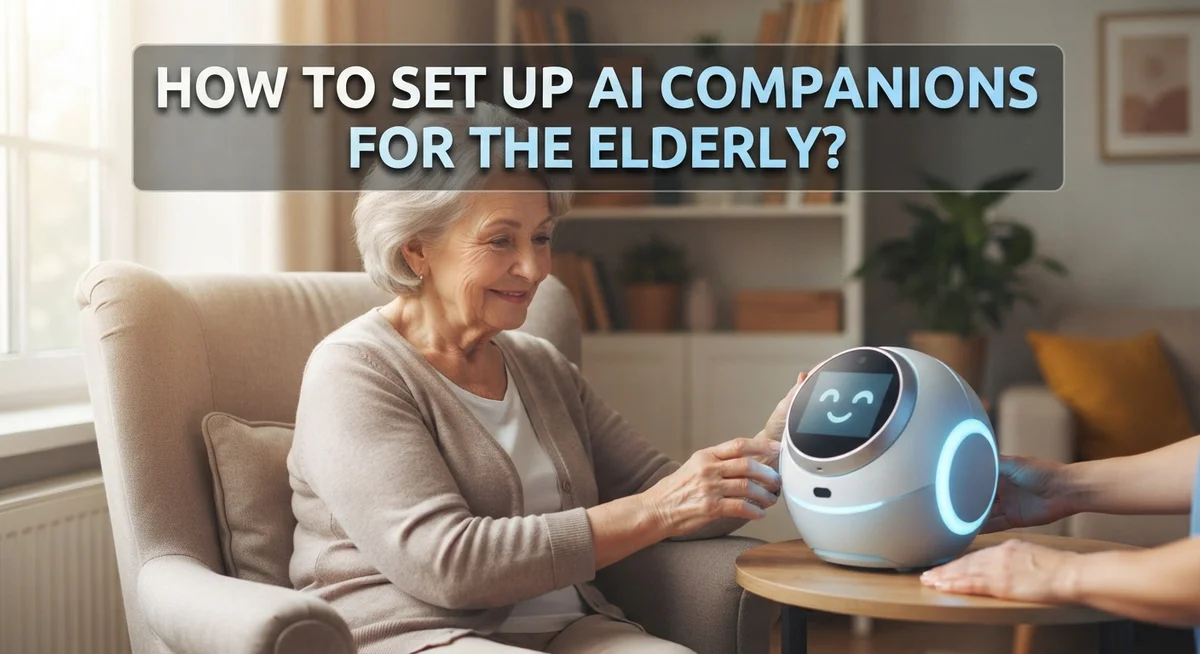
How to Set Up AI Companions for the Elderly?
Growing old often brings a quiet challenge: loneliness. Many seniors spend hours alone while family members juggle work and other duties.
This is where AI companions step in. These smart tools offer conversation, reminders, and gentle checkins throughout the day.
They come in many forms. Some are voice assistants that answer questions. Others are small robots that chat and react to moods. Some apps track health patterns and alert families to changes.
Setting up these tools the right way matters a lot. A poorly configured device can confuse an older adult or leave gaps in safety features. A well set up companion, though, can truly transform dail life.
This guide walks you through the full setup process. You will learn how to check a senior’s comfort with technology. You will discover how to pick the right device type for their needs.
By the end, you will feel confident helping your loved one stay safe, engaged, and never truly alone.
In a Nutshell
- Check their needs first. Look at your loved one’s comfort with technology. This helps you pick the right device or app.
- Choose the right format. Options include voice assistants, audio companions, or social robots. Each one offers different support levels.
- Set up reminders and schedules. Add medication alerts and appointment notifications. This keeps daily routines on track.
- Turn on health and mood monitoring. These features can spot changes early. They alert caregivers when something seems off.
- Review privacy and security settings. Always check the privacy policy before setup. Look for scam protection features too.
- Remember its limits. AI companions offer real support, but they cannot replace human connection. Family visits and calls still matter most.
What Are AI Companions and How Do They Help Seniors?
AI companions are digital tools that talk with seniors and help them stay connected. They work through apps on phones, tablets, smart speakers, or small robots that sit in a home. These companions use artificial intelligence to learn from conversations and respond in natural, human-like ways.
What makes them helpful for seniors? They provide conversation whenever loneliness strikes. Many older adults live alone or have limited social contact, and AI companions fill that gap by chatting about daily life, answering questions, or just listening.
These tools also handle practical tasks. They send medication reminders so your loved one never misses a dose. They alert about upcoming doctor appointments. Some track mood and behavior patterns, which helps families spot health changes early.
Beyond reminders and conversation, AI companions offer emotional support. They provide reassurance during anxious moments. They keep the brain active through word games, trivia, or storytelling. For seniors with dementia, they can reduce agitation and confusion by offering calm, patient interaction.
AI companions also give family caregivers breathing room. If you work full time or live far away, these tools provide an extra layer of support. They check in on your loved one and alert you to any concerns. This means you can balance work, family, and caregiving without constant worry.
It is important to understand what AI companions cannot do. They cannot replace doctors, nurses, or human caregivers. They cannot handle medical emergencies. They work best as a supplement to human care, not a replacement.
Think of AI companions as a helpful addition to your loved one’s life. They reduce isolation, manage daily tasks, and give families peace of mind.
Assessing Your Loved One’s Needs and Tech Comfort Level
Before you set up an AI companion, take time to understand your loved one’s specific situation. Every senior has different needs. Some people struggle with loneliness and need conversation. Others need help remembering medications or appointments. A few may want health monitoring to catch problems early.
Start by having an honest conversation with your loved one. Ask what frustrates them most about daily life. Do they forget things? Feel isolated? Worry about their health? Their answers guide your choice of which AI companion features matter most.
Next, assess their comfort with technology. Can they use a smartphone? Do they know how to talk to a voice assistant? Some seniors love learning new devices. Others feel nervous around technology. This comfort level shapes everything. Someone who avoids phones might do better with a simple voice device. Someone tech savvy might enjoy an app with more features.
Consider their living situation too. Does your loved one live alone? With family? In a care facility? Someone living alone may benefit most from constant companionship and health alerts. Someone with family nearby might need different features.
Think about physical abilities as well. Does your loved one have hearing problems? Vision issues? Arthritis in their hands? These factors determine whether audio only, screen based, or robotic companions work best.
Document what you learn. Write down their main challenges and tech comfort level. This information becomes your roadmap for setup. It helps you choose the right format and features. It also prevents wasting time on tools that won’t fit their real life. Taking this assessment step seriously saves frustration later.
Choosing the Right Type of AI Companion Device or App
Different AI companion options work better for different seniors. Your choice depends on what your loved one needs and how comfortable they are with technology.
Voice assistants respond to spoken commands. Your loved one talks to them like a person. These work well if someone has arthritis or vision problems. They handle reminders, weather updates, and casual conversation. Setup is usually straightforward.
Audio only companions focus purely on talking and listening. They don’t have screens. This format suits seniors who find visual interfaces confusing. Audio companions often specialize in memory games or storytelling to keep minds active.
Socially assistive robots are physical devices that move and respond. They offer more engaging interaction through movement and facial expressions. These robots work best for seniors who enjoy tactile, interactive experiences. They take up physical space, so consider room availability first.
Predictive health AI monitors patterns in daily routines. These systems track sleep, activity levels, and mood changes. They alert family members if something seems off. This type requires consistent data input but provides valuable health insights.
Tablet or smartphone apps combine multiple features. They offer video calling, games, medication reminders, and conversation all in one place. These work for tech-savvy seniors but may overwhelm others.
Start by asking yourself these questions. Does your loved one prefer talking or reading? Do they live alone or with family? What frustrates them most in daily life? Do they have physical limitations?
Write down your answers. This simple list helps you narrow down which format truly matches their situation. The best choice feels natural to your loved one, not complicated.
Step-by-Step Setup: Reminders, Scheduling, and Monitoring Features
Once you’ve chosen your AI companion, the actual setup process focuses on three main areas: reminders, scheduling, and monitoring. These features work together to support your loved one’s daily life.
Start with medication reminders. Most AI companions let you input prescription names, dosages, and times. The system then alerts your loved one when it’s time to take their pills. You can usually set multiple reminders per day. Some systems even confirm whether the medication was taken. This simple feature prevents dangerous missed doses.
Next, tackle appointment scheduling. Enter doctor visits, therapy sessions, or social events into the system. The AI companion reminds your loved one before appointments arrive. Many systems send alerts a day ahead and again one hour before. This reduces confusion and missed appointments.
Health and mood monitoring features come next. These track daily patterns like sleep, activity levels, and emotional tone. Some companions ask simple questions: “How are you feeling today?” Others monitor voice patterns to detect mood changes. You receive alerts if something seems off.
Configure who receives notifications. You might get daily summaries or only urgent alerts. Decide what information matters most for your loved one’s safety.
Test each feature before relying on it fully. Have your loved one practice acknowledging reminders. Make sure they understand how to interact with the system.
Start simple. Don’t activate every feature at once. Let your loved one adjust to basic reminders first. Add monitoring features gradually as they grow comfortable.
Keep a backup system too. Write down important medication times and appointments separately. Technology helps, but having a paper backup protects against technical failures.
Protecting Privacy, Security, and Guarding Against Scams
AI companions collect personal information about your loved one’s health, location, habits, and conversations. This data needs protection. Start by reading the privacy policy before setup. Look for clear statements about what information the system collects and how long it stores that data.
Check security features carefully. Ask whether the device uses encryption for conversations and health data. Encryption scrambles information so only authorized people can read it. Find out if the system requires strong passwords and whether it offers two factor authentication, which adds an extra security layer.
Scammers often target elderly people through AI companions. They might impersonate support staff or create fake emergency situations. Teach your loved one never to share passwords, bank account numbers, or Social Security numbers with the AI or anyone claiming to represent the company. Make it clear that legitimate support staff will never ask for this information through the device.
Set up access controls so only trusted family members can view health data and receive alerts. Limit who can contact your loved one through the device. Some systems allow you to approve contacts before the AI communicates with them.
Regularly review privacy settings as companies update their policies. Check what data the system has collected about your loved one. Delete information you don’t want stored. Ask the company directly about their data deletion process.
Keep the device software updated. Updates often include security patches that fix vulnerabilities hackers might exploit. Enable automatic updates when possible. If your loved one notices unusual activity or suspicious messages, disconnect the device and contact customer support immediately.
Common Setup Mistakes and How to Avoid Them
Most families make preventable errors when setting up AI companions. Understanding these mistakes helps you avoid costly problems.
The biggest error is rushing setup without testing. Many people activate all features at once, then feel overwhelmed when the system malfunctions. Instead, turn on one feature every few days. Start with medication reminders alone. Once your loved one feels comfortable, add appointment scheduling. This gradual approach prevents confusion and frustration.
Another common mistake involves ignoring your senior’s actual tech comfort level. You might choose a complex device when a simple voice assistant would work better. Ask your loved one directly what they find easy to use. Watch how they interact with their current phone or tablet. Match the AI companion to their real abilities, not what you wish they could do.
Many families also fail to involve their senior in the setup process. When elderly people help configure their own companion, they understand it better and use it more. Let them choose the voice style if options exist. Have them help enter their medication names and times.
Privacy oversights cause serious problems too. Some families skip reading privacy policies entirely. Take time to understand what data gets collected and who can access it. Check whether the company encrypts conversations and health information.
Finally, people often set incorrect notification preferences. You might receive alerts for every tiny change, leading to alert fatigue. Or you might miss important health changes because notifications go to the wrong person. Review notification settings carefully with all family members involved in care.
These mistakes are fixable. Slow down, involve your loved one, and prioritize their comfort over speed.
Troubleshooting Common Issues After Setup
AI companions sometimes act unpredictably after setup. Here are practical fixes for the most common issues.
Your device won’t respond to voice commands. First, check if the microphone is working. Move closer to the device and speak clearly. Background noise interferes with voice recognition, so reduce TV volume or ask others to be quiet. Restart the device completely. Unplug it for 30 seconds, then plug it back in. If problems continue, check your internet connection. Most AI companions need strong WiFi to function properly.
Reminders aren’t triggering at the right times. Open the reminder settings and verify the time zone is correct. Many setups fail because the device uses the wrong time. Double check that medication names and dosages match exactly what you entered. Small typos cause the system to skip reminders. Test a reminder manually to see if notifications reach the right family members.
Health monitoring features show incorrect data. Ensure your senior is wearing any required sensors or devices properly. Loose connections prevent accurate readings. Check that the device syncs with other health apps or wearables you’re using. Sometimes data conflicts between systems.
The companion seems confused or gives odd responses. This happens when voice recognition misunderstands accents or speech patterns. Speak more slowly and clearly. Rephrase questions simply. Some devices improve with use as they learn your senior’s voice.
Notifications aren’t reaching caregivers. Verify that contact information is entered correctly. Check email spam folders for missed alerts. Confirm that notification permissions are enabled in device settings.
Most issues resolve with simple restarts and settings reviews. Contact customer support if problems persist beyond these basic fixes.
Balancing AI Support with Genuine Human Connection
AI companions offer real benefits, but they work best alongside genuine human relationships rather than replacing them. Your elderly loved one needs both technology and real people in their life.
AI companions excel at specific tasks. They send medication reminders, alert you to health changes, and provide conversation during lonely hours. They never sleep and always respond when your senior needs to talk. This consistency can ease anxiety and keep minds active.
However, AI cannot replicate human connection. A device cannot truly understand emotions the way a family member does. It cannot sit beside your senior during difficult moments or offer the warmth of a real hug. Technology fills gaps but does not substitute for genuine care.
The best approach combines both. Use AI companions to handle routine tasks like appointment reminders and medication schedules. This frees up your time for meaningful visits and activities together. When you are not managing logistics, you can focus on real conversations and shared experiences.
Encourage your senior to maintain existing relationships. Help them schedule regular calls with grandchildren, plan visits from friends, or join community groups. The AI companion works best when it supplements these connections, not replaces them.
Think of AI as a helpful assistant in your caregiving team. It supports your senior between your visits and alerts you to concerns. But your presence, attention, and love remain irreplaceable.
Set realistic expectations from the start. Frame the AI companion as a helpful tool that keeps your senior safer and more connected to you. When families view technology this way, seniors benefit most and feel genuinely supported by both machines and the people who care about them.
Final Thoughts
Setting up an AI companion for your elderly loved one takes patience and care. You now have the steps needed to choose the right device, configure key features, and avoid common mistakes.
Start slow and stay involved. Test each feature before adding another one. Ask your senior how they feel about the technology throughout the process.
Remember that privacy matters just as much as convenience. Always review privacy policies and security settings before finalizing setup. This protects your loved one from scams and data misuse.
AI companions truly shine when they handle practical tasks. They send medication reminders, track health changes, and offer companionship during quiet hours. These features give caregivers real peace of mind.
But technology has limits. An AI companion cannot replace a warm hug or a heartfelt conversation with family. It works best as one part of a bigger support system.
Keep human connections strong alongside the AI setup. Schedule regular visits, phone calls, and family gatherings. Let the AI handle reminders while people handle relationships.
If problems arise after setup, troubleshoot calmly. Most issues have simple fixes, like checking microphones or adjusting time zones. Don’t let small glitches discourage you.
Every senior has different needs and comfort levels. What works for one person might not work for another. Stay flexible and adjust settings as needs change over time.
Setting up AI companions is not a one time task. Check in regularly to make sure everything still fits your senior’s daily life. Update reminders, contacts, and preferences as circumstances shift.
With the right setup and ongoing attention, AI companions can genuinely improve daily life for elderly users and their families. They offer support, safety, and comfort, all while keeping human connection at the center of care.
Frequently Asked Questions
Is an AI companion safe for my elderly parent?
AI companions can be safe when you take proper precautions. Check the privacy policy before setup. Look for encryption features and clear data storage practices. Make sure the device or app has security updates available.
Your senior should never share passwords or financial details with the AI. Scammers sometimes target elderly users through fake AI apps, so download only from official sources. Keep the device updated regularly to patch security holes.
What tasks can an AI companion actually handle?
AI companions excel at practical, everyday tasks. They send medication reminders at specific times. They help schedule appointments and alert you when dates approach. Some monitor activity levels and detect unusual patterns that might signal health concerns.
These systems can have conversations, play games, and read news aloud. They provide company during quiet hours. They work best for repetitive, structured tasks rather than complex decision making.
Can AI replace a caregiver or family member?
No. AI companions cannot replace human care. They lack the emotional understanding that comes from real relationships. A device cannot truly comfort someone through grief or celebrate personal milestones the way family can.
Think of AI as a helpful assistant, not a substitute. It handles reminders and monitoring while you focus on meaningful visits and conversations. The combination of both works best for elderly wellbeing.
What should I check before setting up an AI companion?
Evaluate your parent’s comfort level with technology first. Do they use smartphones or smart speakers already? Start with something simple if they are new to devices.
Review the companion’s features and match them to actual needs. Does your parent need medication reminders? Health monitoring? Social conversation? Choose based on these priorities, not on having every feature available.

Hi, I’m Simmy — the founder and voice behind AI Gadgets Insight. I’m a tech enthusiast who loves exploring the latest AI gadgets, smart devices, and innovative tech products. I started this blog to help people make smarter tech choices with honest reviews, easy-to-follow comparisons, and practical buying guides.